After helping resolve several Mevo+ user concerns just this week, I had someone suggest I put together a updated Mevo+ setup and FAQ video. I did my best to cover a lot without making it an hour marathon. Hopefully this can help anyone that might be looking to purchase or owns currently and has some concerns. Please feel free to comment on YouTube other questions, ideas, results, etc. As always thanks for watching!
-
Excellent video. Thanks for sharing. I listed a question in the comments section, but thought I'd add it here for any feedback that folks might have.
I'm having 2 issues; Putting & irons
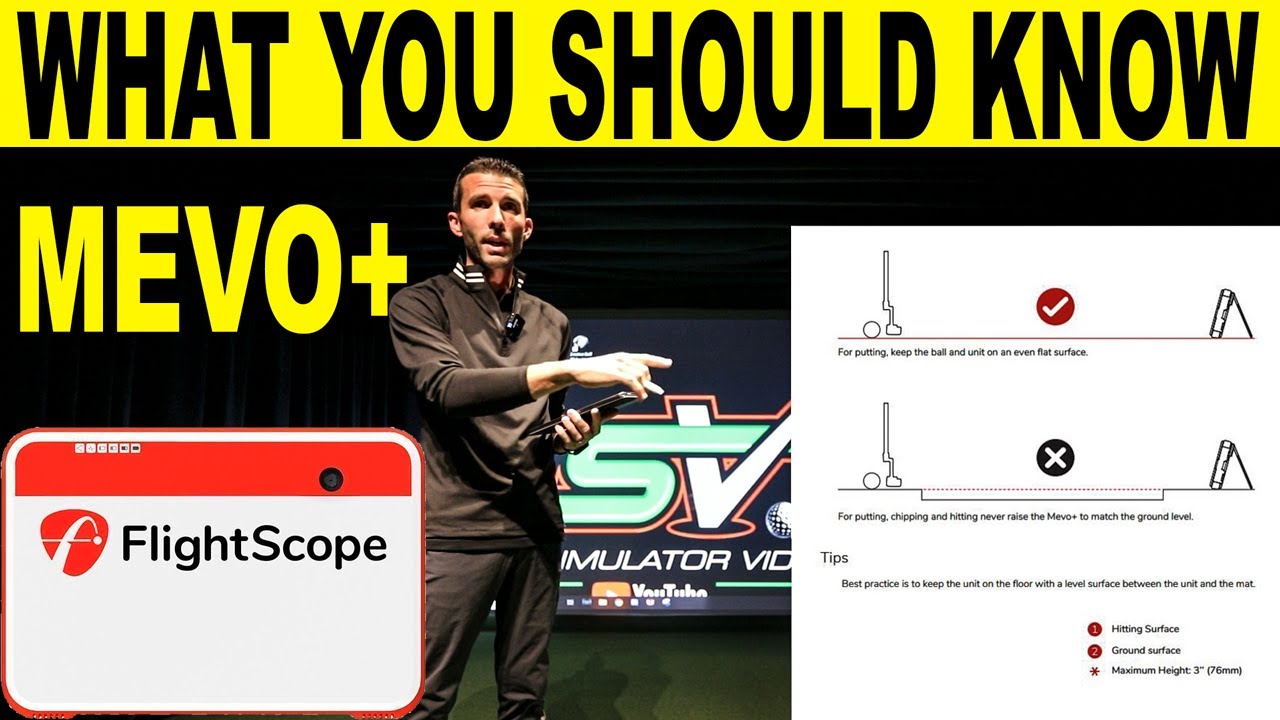
For putting, I'm getting a lot of no-reads for short putts and for any putt that is even slightly downhill goes about 30 feet past the hole, regardless of how hard I hit it. The unit is at the same height as the impact area with no gap in between. I bought 1" interlocking mats for the unit to sit on, which feeds directly into the hitting mat with no drop off or height change. I putt from 7' and use a non-sticker ball. There is about a 1/2" drop off shortly after impact (about a foot after impact), so I'm thinking that's what the issue is. I bought some interlocking mats to put under my putting turf which should make the height the same. Any other feedback would be appreciated.
For irons, I hit from 8' Mevo to ball at 12 degree tilt. I'm using the simulation courses included on E6 Connect. i have a little over 10' ball to screen. All of my irons appear to be about 1/2 clubs short consistently. My hybrids and 3wood seem close enough. I haven't really tested out driver, as my ceiling height is just under 9'.
I've attached some pictures. Thanks all for any feedback that you may have. Overall, I'm loving the unit. If i could just make a few tweaks to improve on accuracy and consistency, it'd be perfect.
TIA-
Could also be the projector. I was having similar issue on putts and contacted flightscope support. They had me putt with the projector off and it worked much better. So I would do that to test if I were you. If it seems to work better their solution is to wrap the projector in a metal mesh screen so the radar isn't thrown off by the projector's internal fan. -
Thanks, MJ328. Do you know where you purchased the metal mesh, and what the costs were? -
I got mine off amazon for $10. Link below. Just formed the 3 sheets into the shape of a box and slipped it over the back of the projector to cover bottom, back, and sides.
3PACK Steel Mesh Screen 11”X11”(280mmX280mm), 20 Mesh Steel Woven Wire Mesh 304 - Never Rust 1mm Hole Keep Rodent Out or Make Any Shapes by Valchoose https://www.amazon.com/dp/B086YP27DM..._dFoxFbTCXBSB4
-
-
Also, I've had issues with the aspect ratio. My screen is setup to support 4:3, which fills the entire screen. When using any other app on my iPad (Netflix, Hulu, YoutubeTV, Disney+) the image shows in 4:3 and fills the screen. When using the free courses on E6 Connect, it looks more like a 1:1 ratio. the image is tall and thin. Is there a correction for this, or is this just how E6 projects? Or, is it merely because I'm using the free courses, and if I were to upgrade to the $300 or $600 annual subscription, I'd get the 4:3 ratio with better graphics? Thanks for any feedback.Comment
-
I have noticed that the E6 iOS is a little smaller version of 4:3 at least in a little testing I have done with it. Even the iOS for iPhone is 16:9 but smaller. Many have use the zoom on their projector to compensate. If you upgrade to the $300 year you can get it for PC and they are substantially better. Thanks for watching.
-
-
Thanks, everyone. As I'm working from home (like us all), I went out during lunch to move some things around. My garage needs to serve several functions, so space is tight. It needs to operate as a garage for one car during snow storms (I live outside of Boston), It is needed for storage, it's also my kids post-pool club house for arts and crafts and lounging, and lastly, it's dad's golf simulator. This is why you see it crammed with things and not the neatest. Now that swim season is over, it'll be a little less messy.
That said, I moved the refrigerator to be behind the screen. I'm hoping that it doesn't cause interference, as I have a screen, photography cloth, 2 moving blankets, and memory foam hanging from the enclosure. My options are a bit limited on where I can move the fridge to. I could potentially mount the TV. I'll test it out tonight.
Any thoughts as to if this may improve my situation, or will the fridge being behind the screen still cause an issue?
Comment
-
Hi!!
We`re using the Mevo plus out on the range. Our range balls have 20% lower compression. With the range ball mode in FS GOLF, the numbers are pretty decent. But with e6.... the shots are really way to short. Is there any option, to solve these problem? With the skills app same problem...
Change the Ball outdoor on the range and hit prov1x`s... not the best idea

We want to play some courses, sepcially in the winter. TGC or another app is working better?
THX, hope you can help us!Last edited by xmonaco; 01-25-2022, 09:46 AM.Comment


Comment