Inside 6 Feet - Mystery

Collapse
X
 
  • Time
  • Show
Clear All
new posts
  • JonH59
    Member
    • Oct 2019
    • 67

    #1

    Inside 6 Feet - Mystery

    So riddle me this: I start up Inside 6 Feet and enter in the club choices for my first three shots. I hit start (or next or whatever it is) and my first shot is at Blue Bayou on a 208 yard hole where about 90% of the shot is over a swamp. ???

    AND, I'm not very long hitting as my 3 wood will go 225-230 when I hit it well. I was using the 3 and still landing in the water. (Meaning I think it's a lot more than 208 yards)

    AND, when I click on different tabs going across the top of the screen, there's a "Shot of the Month" tab that, when I click it, it replays some other shot from two years ago that, when the ball stops rolling, is the starting point for my shot. ???

    SO, I think, "Okay you stupid game. You want this to be my first shot? Challenge accepted!"

    Massive failure on my part. I think I hit land 4 times in 30 tries.

    AND...the third time I tried (I shut down and came back later) the distance went up to 211 yards.

    ANYWAY...thoughts? Ideas? or just bail and call up Foresight?
  • Baller
    Super Member
    • Aug 2014
    • 648

    #2
    Yeah, it's an error since a few updates ago. I forgot about that one. I don't remember what people did to get around it though. Are you on the latest version?

    It's only supposed to be a short wedge shot.

    Comment

    • Baller
      Super Member
      • Aug 2014
      • 648

      #3
      I just loaded it up to see if it works for me and it does. This is what it's supposed to look like.

      I would make sure you have all of your AV set to allow all three main FS folders in your "C:\Program Files (x86)"

      Add them as exclusions.

      Comment

      • JonH59
        Member
        • Oct 2019
        • 67

        #4
        Baller,
        Thanks so much. Your first post about the latest version....as soon as I got half way thru I did a face palm. I don't think I'm current with the latest version. When able, that's job 1.

        AND, I hope that's it because your second post? no clue what that means and I don't want to have to ask you to dumb it down!

        I hope to get down there tonight. I'll post my results.

        Thanks again

        Comment


        • Baller
          Baller commented
          Editing a comment
          Haha, so sorry! Your antivirus can wreak havoc upon inside 6 even if everything else seems to work...don't ask how I know. Every antivirus program is different, but what you are doing it telling your antivirus to exclude, or not scan those folders and therefore not block anything from them. If option 1 doesn't work and that doesn't help, just post which av program you have and I'll try to help further.

        • jasonreg
          jasonreg commented
          Editing a comment
          This is a big deal for me using Norton 360. I need to disable AV and Firewall every time I download an update or install FSX or related programs. If I do not, I get errors or my PC "protects me" by undoing whatever FSX is doing. This is one of my (few) pet peeves - in this day and age one should be able to install software without disabling all these protection programs ......

          That said, when I do this all run smoothly afterwards. Make sure you run the programs as administrator as well. Should not be required but seems to work better as well (for me anyway).
      • JonH59
        Member
        • Oct 2019
        • 67

        #5
        Update:
        After several W10 updates and restarts, I did the latest Foresight update. Unfortunately, this did not cure my problem.

        So I tried 40 more shots to the green and came real close but...no.

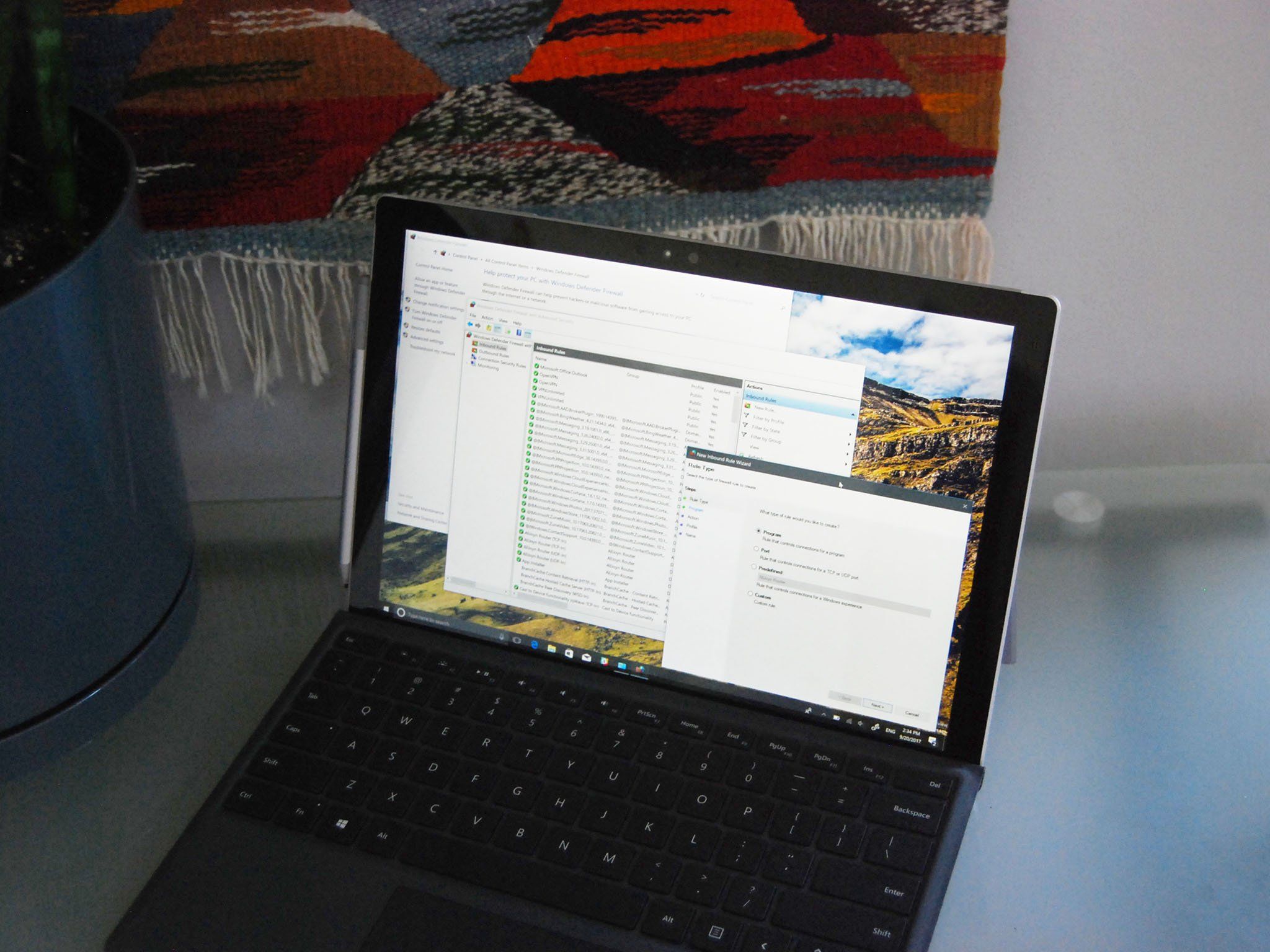
        Baller, thanks for your second post as you gave me enough simple talk so I could Google. I added exceptions to the 3 Foresight folders (+ FSX Pro and the soccer game while I was there) and again NO HELP. GRRRR!!

        If you could take a peak at the photo below and make sure that I excepted what I should have.

        AND, any other ideas?

        Thanks in advance,
        Jon in American Fork

        Comment


        • jasonreg
          jasonreg commented
          Editing a comment
          Don't forget to allow them to work through your firewall as well. I always disable both firewall and AV when installing FSX - only way it works for me - but then it does work with both enabled and no exclusions. I use Norton 360 though.
      • Baller
        Super Member
        • Aug 2014
        • 648

        #6
        Is Microsoft your antivirus? You don't have anything like Norton or Bitdefender or McAfee?

        Comment

        • JonH59
          Member
          • Oct 2019
          • 67

          #7
          Jasonreg - do I need to disable/allow FSX thru my firewall always? or just for installation? or.....
          During install, the AV tells me that Foresight stuff is unknown and that I shouldn't trust it. I click the advanced button and tell it to install anyway. All my other Foresight downloads and installs have gone well and work great.

          Baller - all I have is the stock AV that W10 gives me. I think it's Defender? Nothing else.

          Comment

          • Baller
            Super Member
            • Aug 2014
            • 648

            #8
            Other things I'd try is making sure ports 80 and 443 are open on your firewall.

            This might help:


            If that doesn't work then try disabling your firewall and completely disabling Microsoft Defender and see. It's got to be one of those, but sometimes they still block it. If that doesn't work, I'd try first to remove them and see.

            Crap, just remembered... IT WILL NOT WORK IF YOU ARE IN OFFLINE MODE! You name the problem and I've had it with Inside 6.

            But wait...I totally forgot you are actually in there, but it just shows the wrong distance. I've done way too much multitasking lately. What if you just reinstall the course? Have you tried that?

            Comment

            • JonH59
              Member
              • Oct 2019
              • 67

              #9
              Baller - With that how-to link, I set rules for both incoming and outgoing directions for the ports 80 & 443 in the open position - no help.
              I then turned off every firewall that I could find in the Defender control panel - no help.
              And, I think you realized that I need to sign in to get the game to work, so I'm always on-line and 'talking' with Foresight when playing.
              I tried re-installing the course on top of the current one AND, when that failed, I deleted Blue Bayou from the course folder, tried playing the game - to confirm that it was gone (it was) - then reinstalling the course no help.

              Grrrr.

              What I DID do is make another 30-40 shots and actually/finally landed in the blue! YAY!
              What then happened is the game sent me to another, completely different hole with different length shots. Now my targets are 185, 165 and 157 yards away. What's weird is that my view from the tee is blocked by trees so I'm hitting a blind tee shot. But it's a lot easier for me to get close so I'm optimistic that I'll get to a blue target soon.

              When I went back into the game, at the start it only showed that I completed one of three shots. If it's consistent, I'm hoping that I complete the next two and then the game will 'return to normal.'

              I hope.

              But I want to try this a few more times before I bail and call up Foresight.

              Comment


              • Baller
                Baller commented
                Editing a comment
                It still isn't supposed to be doing that, I remember someone else on the forum having that same problem a while back after an update.
            • JonH59
              Member
              • Oct 2019
              • 67

              #10
              It's almost as if it's starting me at the hardest holes and working backwards!

              Well, at least it's useable.

              Kind of.

              If I get thru the first block of three (1/3 so far) and it continues the same way for the next section, THEN I'll be ticked and call up Foresight.
              WEEKEND CHALLENGE.

              Thanks for the help.

              Jon in American Fork

              Comment

              • Baller
                Super Member
                • Aug 2014
                • 648

                #11
                One last thing to check...make sure you have the latest Blue Bayou course version v3.0.1.

                Blue Bayou:

                Comment

                • JonH59
                  Member
                  • Oct 2019
                  • 67

                  #12
                  SUCCESS!!!
                  Thanks do much, Baller. I think the new course did the trick. AND, thanks for the link too.
                  When I went to the Foresight site I couldn't even FIND Blue Bayou, so I ended up using my 3.0.0 version. When I deleted my old version and installed 3.0.1, BINGO!

                  It's funny because when I first started it up the (correct) screen shows and my immediate thought was NOW WHAT!!!??? (Because it was yet another, different screen)

                  "Oh"

                  "YAY!!!"

                  Jeez, what a pain.

                  But thanks so much for all your help. Now I'm cursing level 8, instead of Foresight.

                  Jon in American Fork

                  Comment


                  • Baller
                    Baller commented
                    Editing a comment
                    NICE! Glad we could figure it out. Inside 6 is such a fantastic challenge IMO, so it would suck to not be able to do it. I'm way up there with like 170 stars but I always think about redoing the earlier ones. They are better for your game than the later ones.

                  • JonH59
                    JonH59 commented
                    Editing a comment
                    AND....I just finished taking the time (finally) to get my surround sound working. So there's that too. I can listen to all that raining.

                    Thanks again. This game is a hoot and also good practice.
                Working...