
I have the older version of the gc2 that doesn’t connect to apple devices by Bluetooth. I read that you can connect the mini usb on the device to your iPad/iphone and it will connect to the Foresight app. I’ve done that and can’t get it to connect. Does anyone have an idea of how to proceed or if it’s even actually possible? Thanks in advance
-
-
That will not work. In fact, even if you had Bluetooth the GC2 is horrible connecting to any Foresight app. It really wasn’t built for that. I never had success connecting to an iPad app when I owned one.
I loved my GC2. But the best use case is indoors with a PC connection. A well functioning GC2 still is on par with any device out there today.-
p3eps - Depending on the app you should be able to connect to the QuadMAX over WiFi. The new Foresight App release will work over Bluetooth instead of WiFi. If you are having trouble connecting and haven't updated firmware on the device to the latest version, I would go that route first. Then if you continue to have trouble I would recommend working with our support team - www.foresightsports.com/contact-support
The older software releases, depending on their version, may not be compatible with the new QuadMAX. FSX PRO and the Foresight App should be able to connect for you though with the QuadMAX. -
ForesightMattyG I have been speaking with support about the apps not working with the QuadMAX, and have been advised that FSX Pro and Foresight are the only ones that are supported.
FSX Pro is impossible to use on an iPhone, as the connect menu is in the top corner (which doesn't exist on an iPhone's rounded corners!) so I can't connect and get back to the main menu. I don't want to take an iPad to the range - as that's something else I have to carry. Even if it did work, some of the text is so small, it's illegible on an iPhone screen.
The new Foresight app works now (latest release), but doesn't show me any trajectory information. The best app in my opinion was FSX Mobile - which sadly isn't supported by the QuadMAX. Had I known this prior to purchase, it would have made me think twice. -
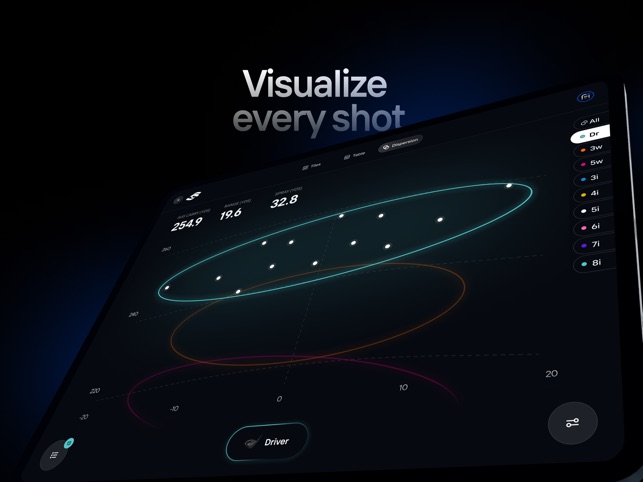
p3eps - The best thing to use in your scenario with the QuadMax would be the new app on your phone. It currently offers visual representation for dispersion view and the development team is currently working on a trajectory view, which should be available in an update released soon.
-
-
Thanks for the responses. So I’m wondering what the mini usb port on the gc2 is for if connecting it to an iPad or computer doesn’t seem to do anything? I really want to be able to use the Foresight Performance app, especially to see the location the ball hit on the club face. Does this mean I need to buy the gc2a version to get that to work? It sounds like it may not even work with that. Has anyone had success with that app and a gc2 or gc2a?Comment
-
My GC2 had no problem connecting to the app via bluetooth. Although I never really used it other than to test since I had the foresight software. The mini usb also has no issues connecting to a PC. I would use the mini usb to connect to the foresight software when I was wanting to use the swing video since over bluetooth the swing video would lag and miss the start of the swing.Comment
-
I’ll try that today thanks. I use Gspro as my software but I really want the impact location you get with the FSperformance app. I assume that means I can download that on my computer or would you think I need to use an android device?Comment
-
GSPro will show you impact location if you use the advanced toggle button on the connector. You don’t mention it but I am assuming you also have HMT for your GC2 which is required to get club data like impact location?Comment
-
Wow I’m such an idiot. That’s exactly what it was. I thought you needed the fsperformance app to get that screen. Thank you and the others so much for the help.Comment
-
In France I do not see anymore the FSPerformance app in the Apple Store. Does FSPerformance exist in other countries (US Canada, uk)?
is there a way to load it from France. Any help welcome.
gilles.billoud@gmail.comComment



Comment