
That curved screen really makes it feel like you are actually at the course. Thanks for the video.
-
-
Damn Ryan5508 - it looks even better than I thought it would turn out... Incredible! Thank you for sharing the pics, and the video... One of my favorites is the mini-split hanging on the wall - I'm still trying to get enough heat to finish mine... Enjoy that for a long time, I'm with you, I wouldn't move either!
Congrats!Comment
-
Ryan5508 Wow have been following your build for the past year and love that it comes together. Congratulations! Hope you are getting some use with this winter storm. You have inspired me to think about building out my sim room with a curved screen also for the immersion.
What aspect ratio did you end up with? I see your screen size was 30’ x 10’ which is 3:1. Was TGC2019 able to scale to this aspect ratio? What resolution did you end up with? I recall you said something in an earlier post about 5400 x 1900 or something? I cant find where TGC2019 says it is compatible with anything other than 16:9? Thanks!Comment
-
I am running a resolution of 5760 by 1200. The game scales fine outside of the game launcher which is broken from the resolution. The curved screen added a lot of extra view to both sides. The FOV is much larger.
So far everything I have played on it has scaled without issue. We play a lot of racing sims on it and they work great. -
Ahh thanks that sort of makes sense. So seems you have each projector set to 1920x1200 (16:10) - however that would be 4.8:1 aspect ratio, but with the overlap of each projector thats how you end up with your final screen size being 30x10’.
Yes I do Sim racing also so am familiar with people who have triple monitor setup for games such as iRacing. Just wasn’t sure if TGC2019 was compatible as it is hard to find anything online about what resolutions it will work for.
I am thinking of doing something with a 2 projectors with a curved screen 20ft wide, 9ft high at about 7.5ft radius. Would make screen around 14.5ft wide and give about a 150deg field of view. Would be some extra work over one projector but would be worth it for the extra field of view for golf and sims being able to see more of the sides. -
Just be aware that the shape of your projected image gets odd really fast on the curve. Especially at the bottom of the screen. I will try and get a few pictures of it when I am home Thursday. I also started thinking I could go with 2 projectors based off the image size. but I would need about 5-8 more feet of throw distance. that would put my projectors out in the driveway.....
-
-
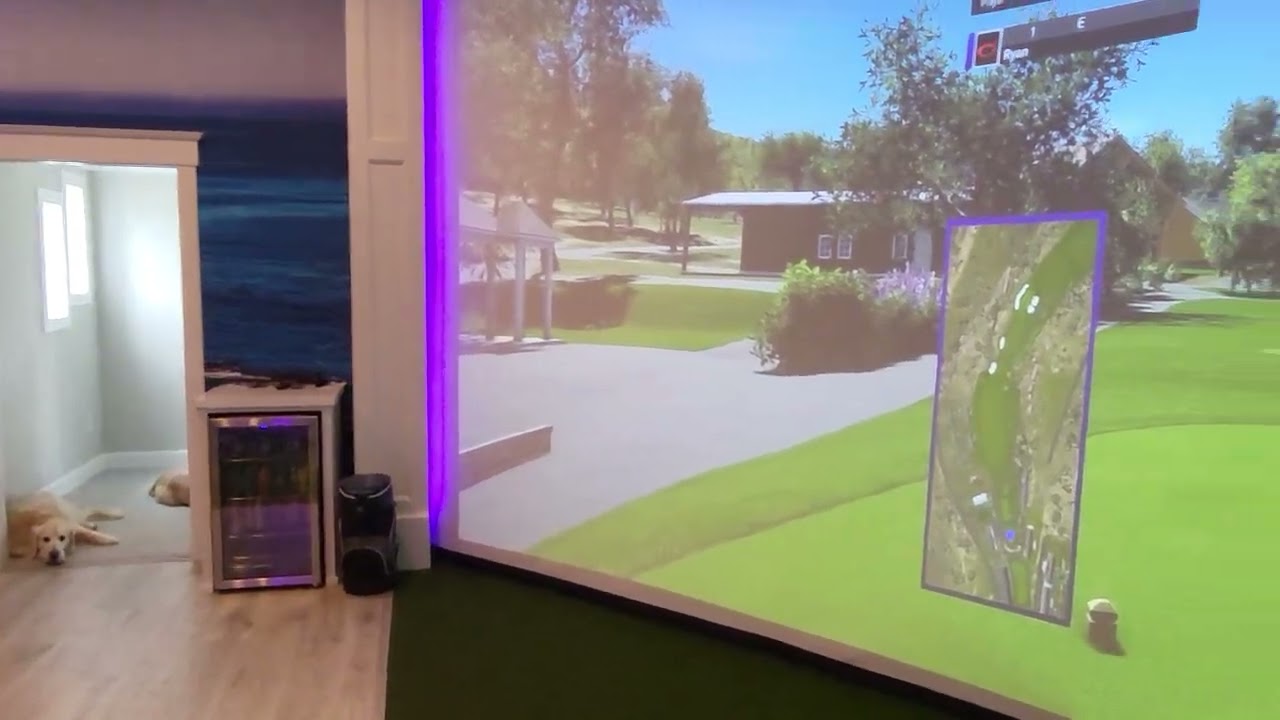
Had a lot of requests lately on a room walk through. So I shot a short video this morning.
Comment
-
Ryan5508 - fantastic setup! Thanks for the behind-the-scenes video, well done.
I'm at the finishing stages as well. One thing I have going on now is the bottom of my screen keeps pushing out as it's the only place where the screen is not clipped (or tarp clipped) on the entire width. It is free-hanging and wants to billow out at the bottom. I noticed yours also appears to be free-hanging at bottom, have you ever had that problem? I'm thinking I may have to put a rod, or even PVC down at bottom for enough weight to pull it down and keep it there.
I'm curious on how much more you feel the curved screen is giving you, for the time it takes to calibrate? It does add a ton to the immersion that's for sure, it looks like you're standing right at the course.
Good job and congrats once again for being finished.
-
-
Ryan5508 - Beautiful setup!
Just curious, if you did this again is there anything you would change with the screen setup? Wider/narrower? Bigger? Different screen or structure? Ball return?Comment
-
Ryan5508 - wow, I remember your build, it's phenomenal and glad it's working out for you... You still have a ton of space... I'm working every day to squeeze every last inch out of my 16'x12' space and 'praying' that I can even have 1 other person in the room! Lol, you can imagine!
Great job again... looks fantastic
-
I decided to start a remodel on our basement movie room. So I ended up rotating tvs all around the house. This allowed me to finally get my dedicated ball data screen in place.
I had bought a new pc monitor to have the data on but for whatever reason using that monitor always shuts off one projector.
I would have liked to have placed it on the other side of the room but my wife is very particular about coving up the wallpaper.
This works well enough though since most people not hitting sit on the right side of the room anyways.
Comment
-
I am pretty sure most GPUs only allow 4 displays (requiring an individual display output) to be in use at one time. At least that's how my Nvidia GPU is maybe AMD has updated this? Anyways if you count the three projectors in Nvidia Surround and your TV that would be four. Adding a fifth display probably disables one. You can mirror additional displays of the same resolution.Comment
-
I was trying this with the 3 projectors and the monitor before adding the TV.
It seems it might be the demand of the monitor. The Odessy ark. I can run 4k-30 through a TV without issues. The ark runs at 4k-165 and causes problems.
Even turning the refresh down for the pc wouldn't solve the projector turning off.
I originally ordered the ark thinking I could dual screen ball data and use my other pc simultaneously. It only excepts one pc input at a time unfortunately.
TV is working great though and is easy to see/use from across the room. So it worked out in the end.
-
-
Really cool build. Thanks for documenting / sharing this.
I saw mentioned earlier that you used PVC to hang the screen from. What did you do to bend the PVC consistently, and to hold the curve? I have to imaging that keeping a consistent arc across the entire 30' of this was really important so that the projectors fill out the screen correctly.Comment
-
Since it looks like we can talk about gspro here now.
Here is a link of a recent par three play through I did.Comment
-
The golf simulator room also doubles as a race simulator

Comment
-
Could you say a bit about the racing simulation hardware and software you chose? My wife is a racer and would love to surprise her with the ability to improve at her hobby in our golf simulator room.Comment
-
On my setup -
Fanatec dd2 podium base
Fanatec podium wheel hub
Fanatec PORSCHE 911 GT3 R wheel
Fanatec podium advanced paddle module
Fanatec clubsport shifter
Fanatec clubsport handbrake
Fanatec clubsport v3 pedals
Next level racing elite cockpit
Next level racing v3 motion platform
Next level racing seat
I added casters to roll the entire setup behind the screen
Game wise we just run through steam and play mostly dirt 2.0, wrc and F1.
The components are expensive but they are all amazing quality and will definitely last. The wheel will beat the hell out of you on the higher feedback levels. But it really gives you an amazing amount of immersion.
My wife has golfed in our room a total of twice but will race any chance she gets. Most people that come over also love to drive on it.Last edited by Ryan5508; 10-19-2023, 08:54 PM.
-
-
Can you provide details on wallpaper? I've searches specs, but didn't seem to find it. In the process of building a sim room now, and I'm desperate to find a company that can print a mural much like yours.Comment
-
It's two different images of Pebble Beach aligned. At the central window.
Website is https://www.limitlesswalls.com
They were fantastic to work with and sent us paper samples and helped with getting the best image for the size. Just search golf or a course on the website.
-
-
Thanks so much! I’ll check them out!Comment
-
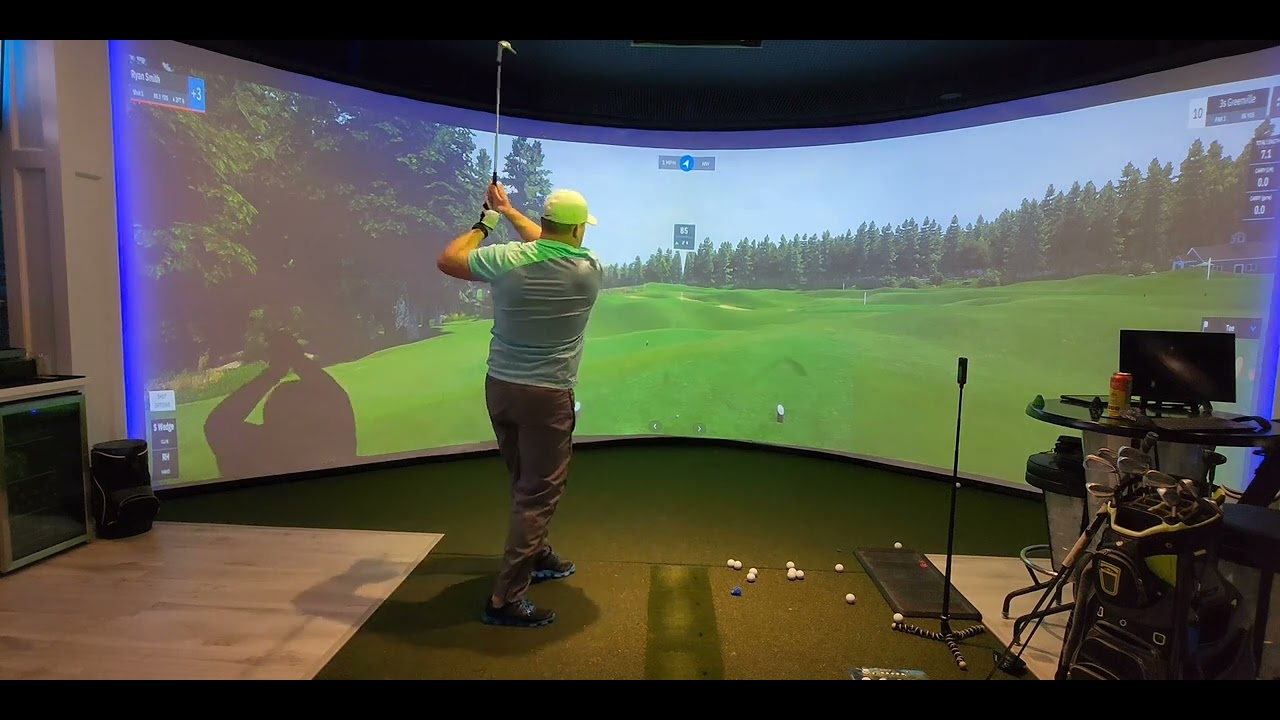
A few people have asked for a how to with the image warping software. I have dragged my feet on it since I'm not a big fan of making videos. Its a little rough since its handheld but I think it should show the basics of using a webcam for the pixelwix autowarp software. hopefully it helps someone.
Comment




Comment