Starting First Sim in Garage - Help/Ideas Welcome!

Collapse
X
 
  • Time
  • Show
Clear All
new posts
  • Schm2155
    Junior Member
    • May 2023
    • 14

    #1

    Starting First Sim in Garage - Help/Ideas Welcome!

    This is the very beginning of my first simulator build. Quick background, I was a single digit handicap in high school, then a bunch of college plus now having two young kids has eroded my skills as I just do not have not had time to play more than a few rounds a year. Just can't be gone for 5+hrs at a time! So I want to have somewhere to hit a few balls regularly, maybe play 9 holes in the evening after the kids go to bed or nap time. I don't expect a simulator to help with my short game much, but if I could just get some more practice and especially dial in my distances, that would help a lot as I often am overshooting greens or coming up short on wedges, just don't play enough to know what I'm hitting it.

    As for the simulator, my goal is to be pretty budget conscious as we are likely moving in a couple of years and would likely build a basement, real nice one then if this is useful like I think it will be. All-in I definitely want to be $5k or under. Tinkering and doing some things myself is kind of fun and I'm not in a huge rush. Would like to have this functional by my birthday in July.

    So far, with my father-in-law's help, we put in a 2x4 frame which can accommodate a 10x10 screen. I've attached a picture! We have 1 ft of space between frame and wall, and will attach to top and sides and probably leave bottom alone or weighted. My plan is to buy the screen next. I've gone through a lot of ideas but leaning towards doing the Carl's screen with the flaps for easy covering of frame. Don't want to go premium due to cost but on the fence between standard and preferred. Not sure if it's worth it or not? In general, I'm not too worried about picture quality, but don't want it terrible.

    I will be hitting from 7.5' from the screen. I can go further back but then both cars would need to be out so this way only one would need to be out. The car will still be parked but I have just enough space where the tires would sit just up against the edge of the floor so my flooring shouldn't get overly ruined!

    Other thoughts are to use some of those amazon foam tiles for behind the screen, on that right wall and the ceiling for looks, sound and to control ricochets. Only righties will be playing so the plan is to not have an enclosure to the left, though I could do some sort of net that goes up when we play. Can't have that permanent due to car. Also, trying to decide if its better to use eye screw things into the wood or like D-hooks?

    Sorry this is already long. Once I figure out the screen, then I still need to settle on a projector and flooring. Planning on holy grail hitting strip with some black automarine carpet, but just have not figured out exactly what my layers would be to get the hitting strip flush with the rest. Also leaning towards SkyTrak plus but waiting to see some more reviews if the plus is worth the extra $1000. Have a decent gaming laptop to use but curious on ideas for maybe mounting that to the right wall. Any ideas on any of this would be excellent, thank you!!!
  • Needsmoreeagles
    Member
    • Feb 2021
    • 75

    #2
    Start Here for your Projector - Everything is built around your projector and screen!
    Calculate the exact throw distance and screen size for any projector. Use the Projection Calculator Pro to adjust zoom, check image brightness (fL), and find the perfect placement for your home theater installation.


    Many of us use this one as a starting point(If it shows on the results for your space)
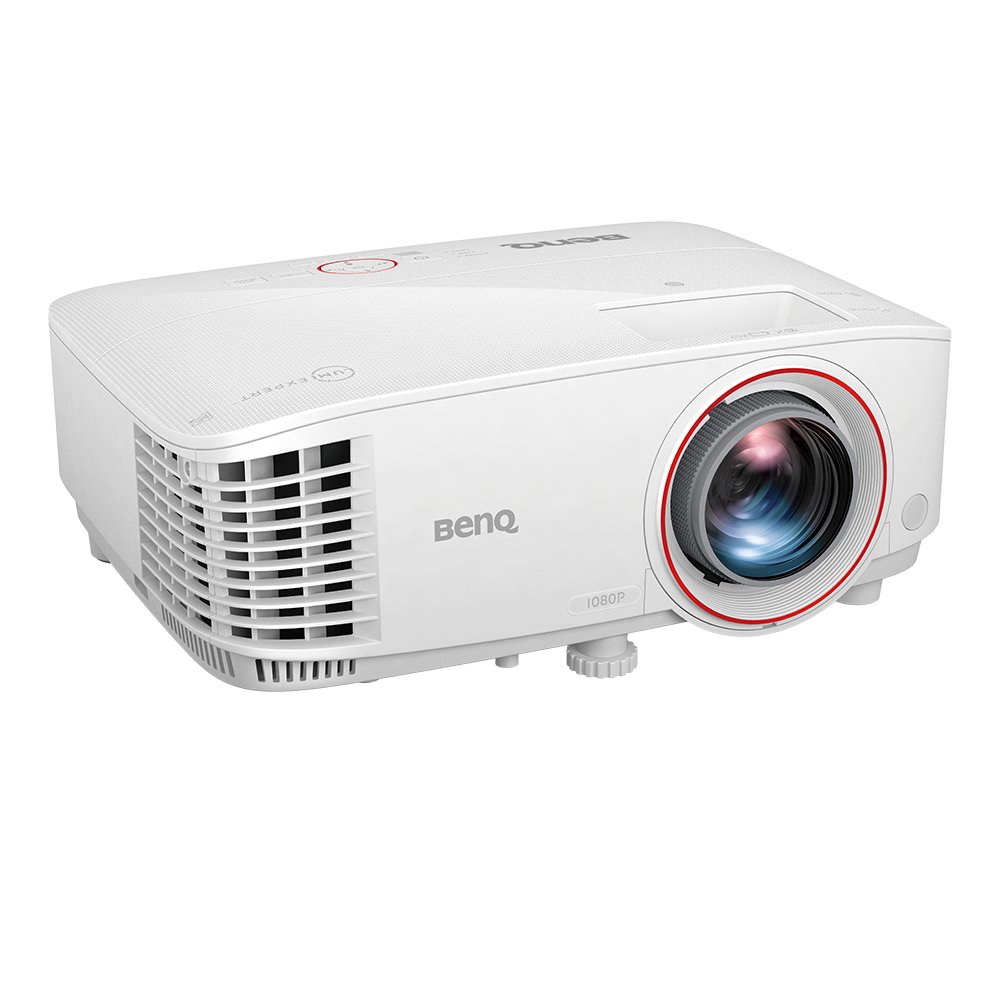
    TH671ST with low input lag, 1080p, 3000 lm, you can cast 100” pictures from just a 4.9ft short throw distance, bringing games, movies, and TV to life.


    You will need ceiling baffles / protection for lofted iron and wedge shots.

    Figure out how to make your playing surface FLAT. I still need to incorporate a more permanent solution for this myself. I will be doing a frame and self-leveling concrete to put under my mat. Currently I use a shim mat of built up cardboard sections and seems to work fine. I stand on a traditional range mat but it was beating me up when playing so I hit off of a fiberbuilt flightdeck now. DO NOT SKIMP on your hitting surface.

    The screens come in a wide range of price points so do some shopping and look out for special prices on minor blemished pieces.

    Easy to incorporate Home Depot / Lowes artificial carpeting into your build for floor covering over gym mats. You only need your feet and hitting area to be flat.

    Amazon blackout curtains and or foam stick up tiles will give your room some nice added vibes.

    Overhead lighting so you can have a darker room will help with the visuals.

    EXTRA TV for watching sporting events while you are playing is a big plus. Nothing beats watching a game or golf and playing along side of them. Quail Hollow approach shot on 16 was up when my wife came in and the tourney was on and she said "Looks just like the TV".

    Make your own JoyToKey gaming control box. A fun, easy, and way cool addition for sim play for much less than the pre-built ones.

    Having a dedicated gaming CPU is a thought if you ever want to sell your set-up. The license goes with the machine or else you pay for a transfer. I went with a dedicated CPU for this reason.

    Foam Pieces can be custom ordered from here...https://foamonline.com/
    - Covering it is another challenge.

    I used foamonline and pipe insulator foam tubes for my actual cage protection and finished it with these pieces for the bottom of the screen / cage (since they were already finished/ covered and looked way better than my foam coverings) https://virtual-golf-simulator.com/g...g-pads-panels/ (I also bought a net and my screen from them)


    You can be all in for around $5- 6000.

    Launch Monitor
    CPU
    Projector
    SIM Software are your biggest ticket items - I have TGC2019 and have played over 100 courses in the last 2 years. Rarely play the same ones.

    Screen and Hitting Surface are next

    Playing 18 in an hour or under is the best! I squeeze 18 - 36 in several days a week. Nothing like playing golf at 8pm with your friends watching a game.

    Plus you can tinker and figure things out!

    Never had so much fun in my garage!

    GungHo Golf has a bunch of awesome tips on his site that you have probably already seen, spend some time in the forum here and look through what others have done for ideas. Many of us specify where we sourced our stuff.


    Comment

    • Schm2155
      Junior Member
      • May 2023
      • 14

      #3
      Awesome, thank you for the links! I think I'll get my screen up next and then go with a projector. That one or an OptomaGT1080HDR was sort of the ones I was thinking about

      Comment

      • TripleBogeyPar
        Member
        • Jul 2022
        • 86

        #4
        Check out Bullseye Golf Sims they have great screens and pricing

        Comment

        • Needsmoreeagles
          Member
          • Feb 2021
          • 75

          #5
          Making sure you really understand that your projector will only be able to adjust a little bit so you need to check that projector calculator for your dimensions, desired screen size and throw distance (placement) of your projector. Start with the calculator it will tell you what projectors you can use.

          Comment

          • Schm2155
            Junior Member
            • May 2023
            • 14

            #6
            I looked into it and the Optoma would work well. Although the calculation definitely changes whether I'm doing a 4:3 image or a 1:1. Not sure if I should just go with the 4:3 and leave some black bars on the top/bottom, or figure out how to get the 1:1 image and mount it further back?? Thoughts??

            Comment

            • Needsmoreeagles
              Member
              • Feb 2021
              • 75

              #7
              You will be able to use your video card to adjust your picture beyond what the projector can do. The key is getting your projector matched with your space because they can only be adjusted so much.

              Comment

              • Schm2155
                Junior Member
                • May 2023
                • 14

                #8
                Found an Optoma EH415ST used on eBay for like $280, we’ll see how it goes! Figure worst case it doesn’t work well and I’m barely out any money but maybe I can get a couple years out of it!

                Also just purchased a net and moving blanket along with curtain track and blackout curtains, so will be hanging the screen and accessories within the next week or so. Pictures to come!

                still trying to figure out flooring and which launch monitor. Would love to find a used Uneekor QED!!

                Comment

                • dcrocker2
                  Junior Member
                  • May 2023
                  • 1

                  #9
                  Just finished doing a budget set up in my garage as well. A couple of things I did to stay on the budget side.

                  - Went with the Rapsodo MLM 2 Pro - only $700 haven't had any issues since the last update and the ball flight seems to be pretty legit. If you don't have space behind your hitting area this may not work.

                  - I went 4:3 for image and with that I use a 9th gen Ipad (found this on Carl's website). It's default output is 4:3 and the Rapsodo app is on there. Cast to an AppleTV that is mounted to my projector to eliminate extra wires.

                  - I have the preferred screen from Carl's and so far so good even though it has only been a couple weeks. Did take some time to tinker with bungees to get bounce back right.

                  - For the mat I have the Gung Ho Holy Grail. Only RH hitting so I got their 4x5' mat. I like that it can fold up to store if needed for space reasons.

                  Honestly have really enjoyed it so far. There are definitely far more premium options for some of these but I was able to be around $4k all in. Below is a pic. Just waiting on more foam I ordered for landing area before I lay down the faux grass to make it appear more complete. Still a work in progress.

                  Comment

                  • Schm2155
                    Junior Member
                    • May 2023
                    • 14

                    #10
                    So things are coming along! Picture is from just before we finished putting in the dricor subfloor and cut out an insert for the bullseye hitting strip. Bought a used Uneekor QED which should be here next week! Tested the projector and it’s plenty good to go. Next week I’ll put down the carpet pad and carpeting, finish the padding and put up the Uneekor so probably a couple weeks out from being completed, so excited!

                    Comment

                    • JayMan007
                      Junior Member
                      • Sep 2023
                      • 1

                      #11
                      Originally posted by dcrocker2 View Post

                      - I have the preferred screen from Carl's and so far so good even though it has only been a couple weeks. Did take some time to tinker with bungees to get bounce back right.
                      I'm starting the planning phase of doing this, what size is that screen?
                      Thanks,

                      Comment

                      Working...