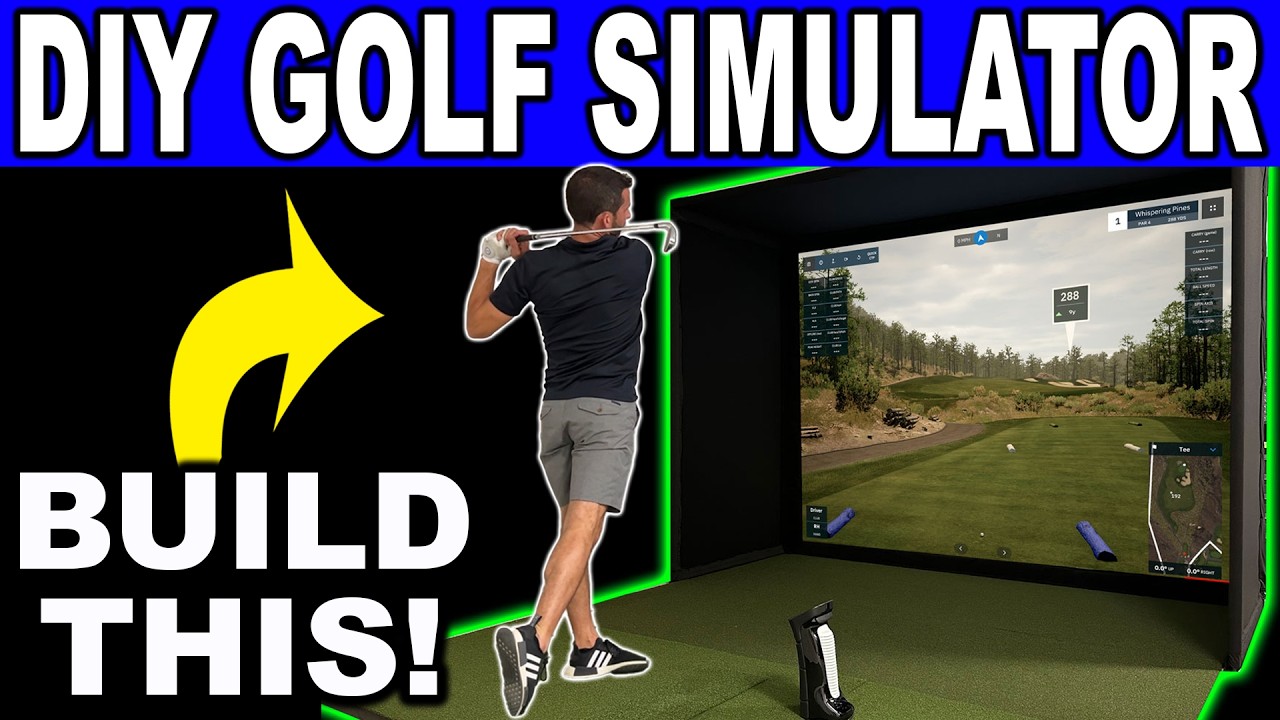
See my New Home Golf Simulator Build! I took the SIG 10 Golf Simulator Package and did a full how to DIY video, plus a first look at the all-new BENQ LH820ST Laser Golf Simulator Projector! This DIY Home Golf Simulator setup was one of the easiest yet! If you are looking to buy the SIG10 or other Golf Simulator Packages from The Indoor Golf Shop you can use my link below with Discount Code: GSV250 to save!
SIG DIY GOLF SIMULATOR ENCLOSURE https://shopindoorgolf.com/products/...losure?aff=277
SIG GOLF SIMULATOR PACKAGES https://shopindoorgolf.com/collectio...lators?aff=277
SIG GOLF MATS https://shopindoorgolf.com/pages/best-golf-mats?aff=277
The SIG10 Golf Simulator & SIGPRO Golf Mat are really the highlighted components to this DIY Home Golf Simulator Build. I was very impressed how easy they were to put together, but also the high quality of the items. The Screen quality is nice and bounce back is low and the SIGPRO mat is not only lightweight and easy to move but super sturdy and forgiving on your elbows and wrists. I plan on doing more videos using this latest DIY Home Golf Simulator setup so be sure to comment below and let me know what you want to see! Details of the SIG10 Golf Simulator Enclosure SIG10 Golf Enclosure Size 10'x10" wide 8' 4" high SIG10 Golf Enclosure Screen Size 10' 1" Wide 7' 7" High 12' 7" Diagonal
SIG DIY GOLF SIMULATOR ENCLOSURE https://shopindoorgolf.com/products/...losure?aff=277
SIG GOLF SIMULATOR PACKAGES https://shopindoorgolf.com/collectio...lators?aff=277
SIG GOLF MATS https://shopindoorgolf.com/pages/best-golf-mats?aff=277
The SIG10 Golf Simulator & SIGPRO Golf Mat are really the highlighted components to this DIY Home Golf Simulator Build. I was very impressed how easy they were to put together, but also the high quality of the items. The Screen quality is nice and bounce back is low and the SIGPRO mat is not only lightweight and easy to move but super sturdy and forgiving on your elbows and wrists. I plan on doing more videos using this latest DIY Home Golf Simulator setup so be sure to comment below and let me know what you want to see! Details of the SIG10 Golf Simulator Enclosure SIG10 Golf Enclosure Size 10'x10" wide 8' 4" high SIG10 Golf Enclosure Screen Size 10' 1" Wide 7' 7" High 12' 7" Diagonal
Comment