BenQ TH671ST
While I was testing the IN138HDST the BenQ TH671ST arrived and after using the IN138HDST for about 3 weeks of testing and sim play it was time to test drive the TH671ST. Due to the higher throw ratio of the TH671ST I was forced to remount the TH671ST at a greater distance from my impact screen than the IN138HDST. The IN138HDST was 9’ 7” (115”) from the impact screen and the TH671ST was mounted at 11’ 6” (138”). Trust me when I tell you I was NOT looking forward to mounting another projector to the ceiling after the trials and tribulations I went through to get the IN138HDST mounted correctly. However, in order to properly evaluate the TH671ST that is exactly what I needed to do. It was at this point that I realized a BEAUTIFUL feature that the BenQ has that the InFocus does not have and that is the 1.2x optical zoom feature. For those of you who have optical zoom in your projector you know what a wonder feature this is to have to get your image exactly where you want it and at the exact size you want it. The TH671ST allowed me to mount the projector close to the ideal spot and then make the fine image size adjustments by simply rotating the zoom lens in and out to get the image to adjust perfectly to the impact screens dimensions. That’s not to say you can just throw the TH671ST anywhere you want and all will be well. You still need to use ProjectorCentral.com’s image throw calculator to get as close to the perfect spot as possible. On that note incidentally, BenQ has a very handy throw calculator tool on their website as well that I found to be very helpful to use. You can find that calculator here: https://projectorcalculator.benq.com/
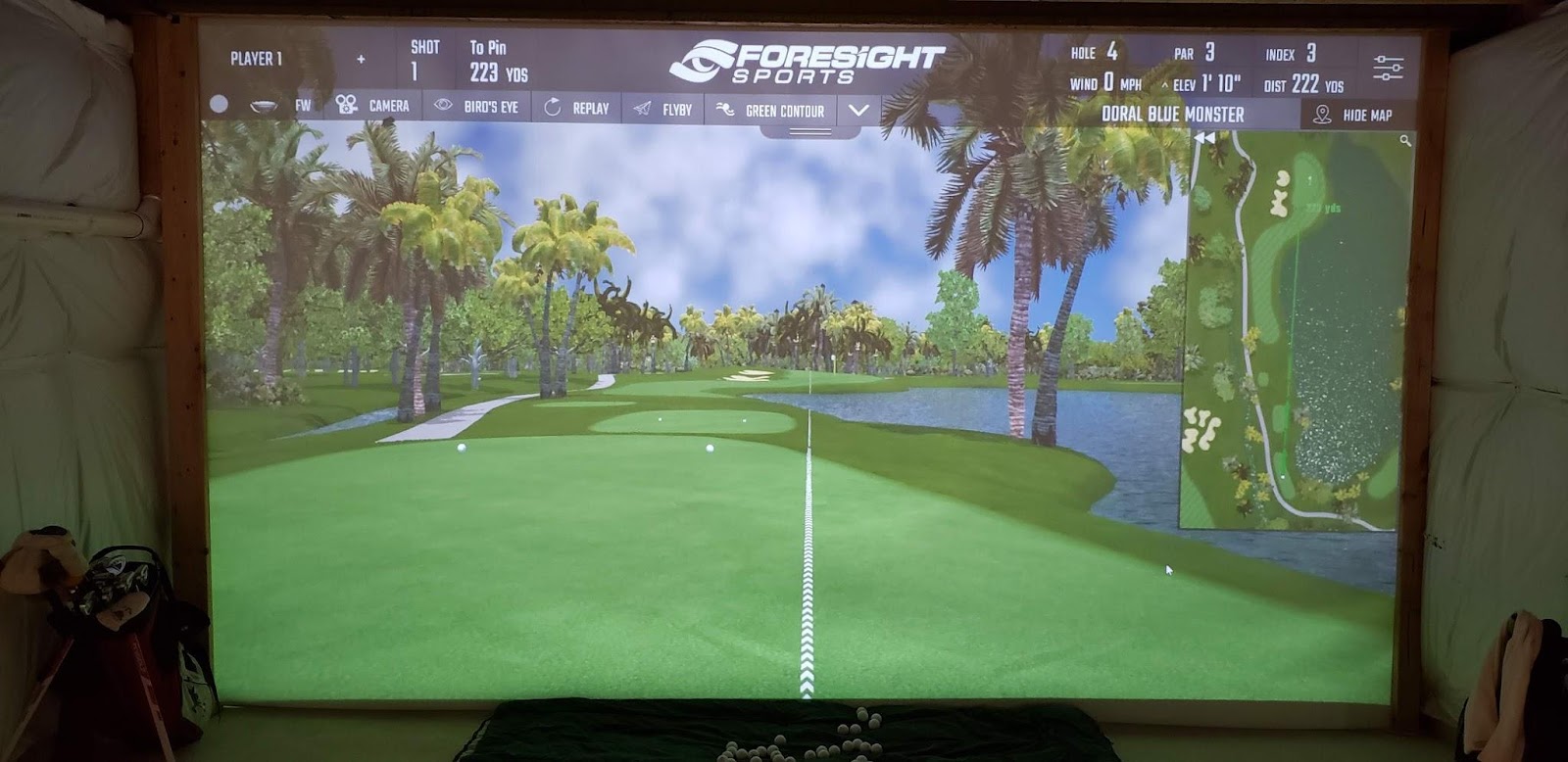
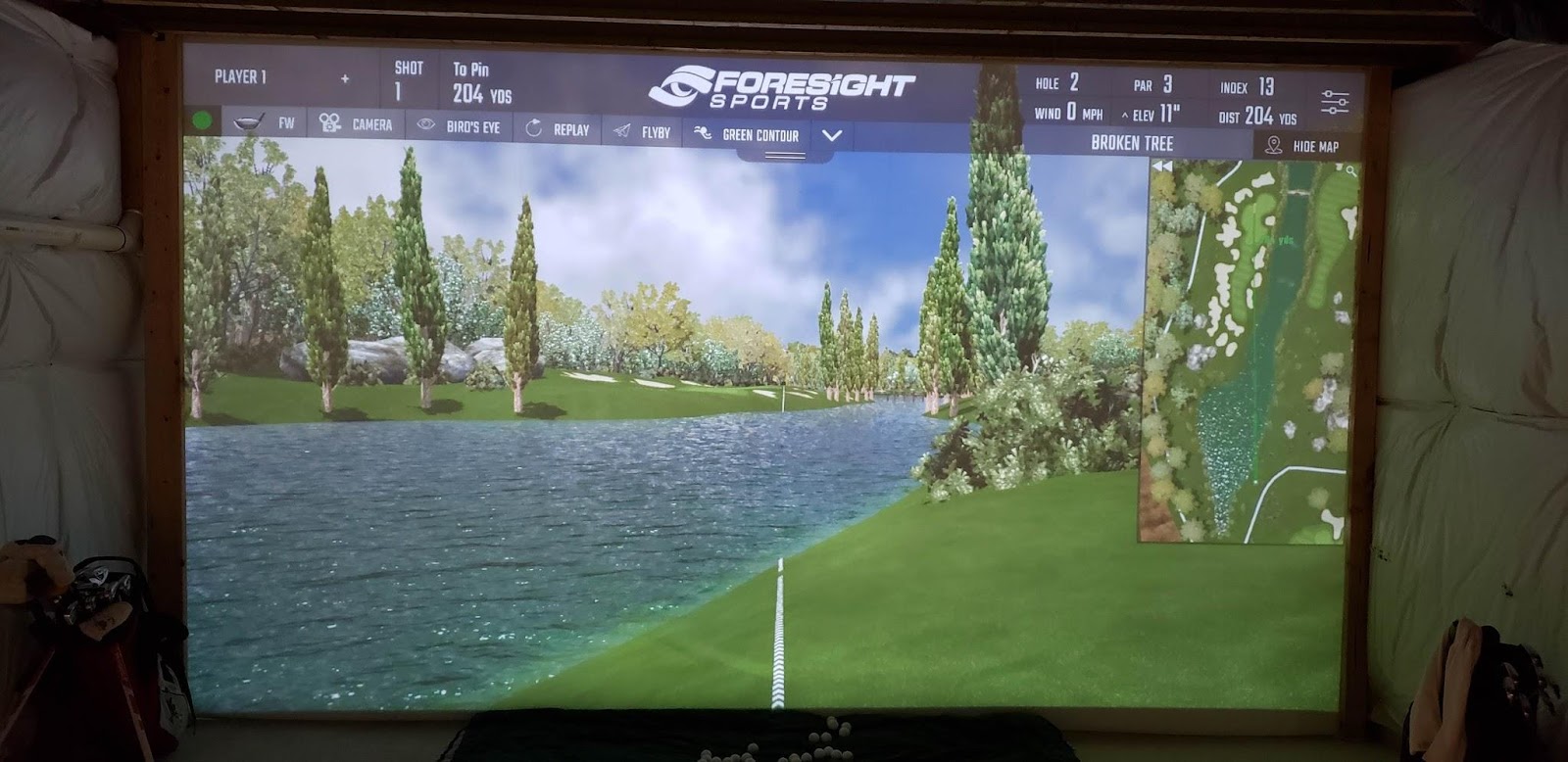
With the 2 website calculators, my super adjustable ceiling mount and the 1.2x optical zoom feature, mounting the TH671ST was MUCH easier at least for a DIY’er like myself. This brings me to the next aspect of the TH671ST that made it a slam dunk for me. As mentioned earlier my complaint about the InFocus IN138HDST projector was that the image had a “fuzziness” to it that never looked to be fully in sharp focus. This was something that I was paying very close attention to when testing the BenQ and I am very happy to report that I was able to focus the BenQ very well. Is it as sharp as my 75” Samsung QLED upstairs…. Nope! That is an unrealistic expectation. Can I see detail in the computer generated images running Foresight FSX 2018… ABSOLUTELY! The fuzziness was gone and I realized that I could have my cake and eat it too! Is there better out there. Of course there is. This is a $685 projector. If you want to spend more I am sure you can get your image closer to my Samsung upstairs but keeping things realistic… I am VERY happy with the image that the TH671ST produces and it is only going to get better as I get closer to the completion of my sim room since I plan on installing better lighting, adding blackout to the sides of the screen and adjusting the screen tension to reduce some of the “waviness” in the screen which can distort the projected image.
A couple other notes about the TH671ST I wanted to mention. I have a brand new set up with equipment that meets or exceeds current standards including a new computer running an NVIDIA GeForce GTX 1070 graphics card with ample RAM. I have very little delay from the time I hit the ball to the time I see the ball project on to my impact screen. Although I have no way of actually objectively testing what I think my eye sees… but I do believe that I noticed an improvement with the slight delay that I do get when using the TH671ST vs. the IN138HDST. I asked BenQ about this and make no mistake about it… the TH671ST was designed and built as a gaming projector and one of the things that this projector was designed for was to minimize what is called “input lag”. Basically, that is the time it takes the projector to receive the image data from whatever the source is and then process that data to produce an image. Of course, there are MANY links in this chain but I felt that I could see a slight yet noticeable difference with the image production time using the TH671ST.
To see a video of the image production speed (Input Lag Test) on my system click below:
https://youtu.be/_TBWy0sQkcU
I will also mention that the TH671ST has a smaller footprint than the IN138HDST. This was not a factor for me but just mentioning it since I know that some sim setups are very tight on space and every inch can matter. The dimensions of the 2 units are below for your reference:
InFocus IN138HDST: 4.9” x 9.3” x 12.3”
BenQ TH671ST: 4.7” x 8.8” x 11.6”
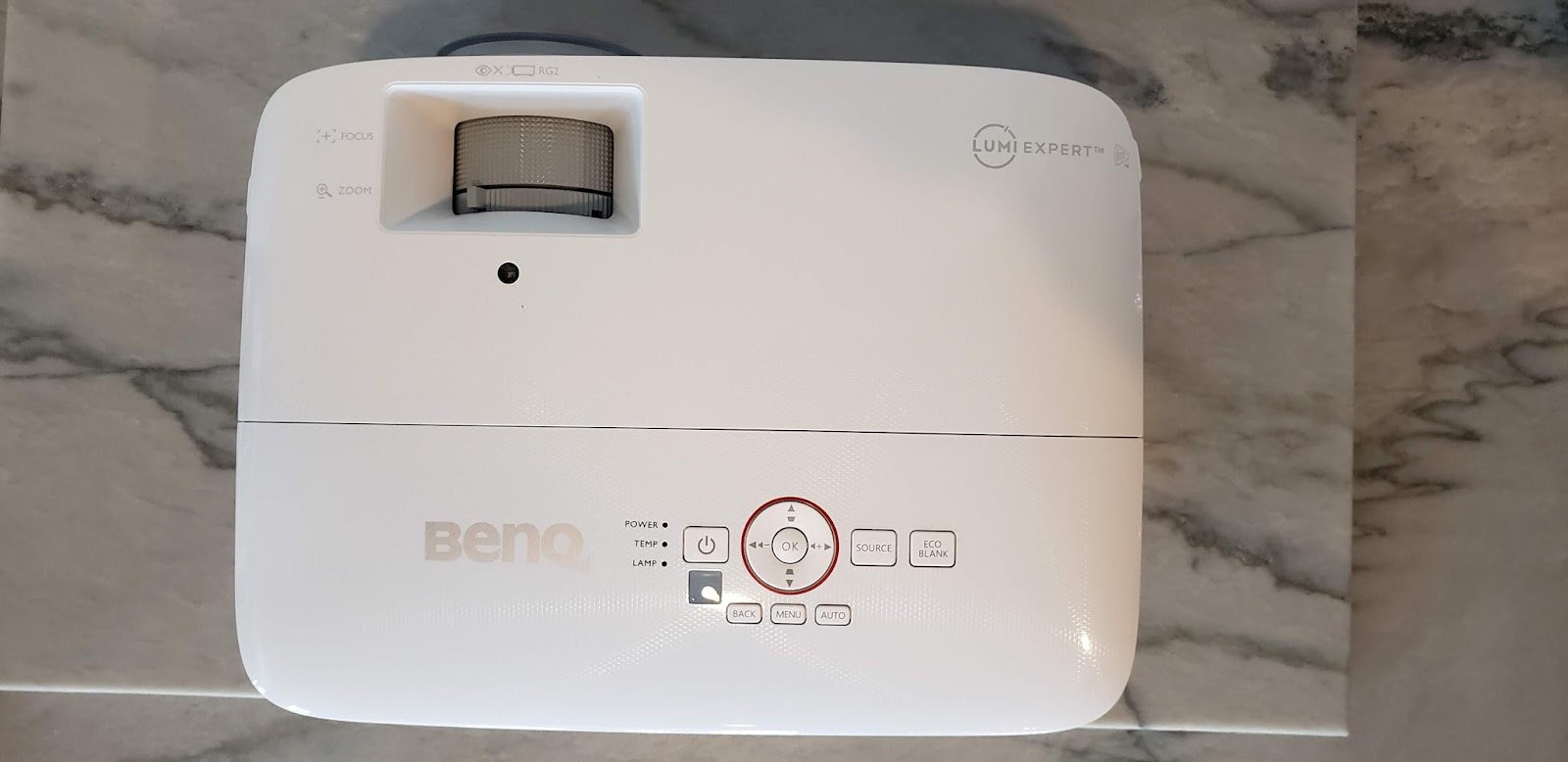
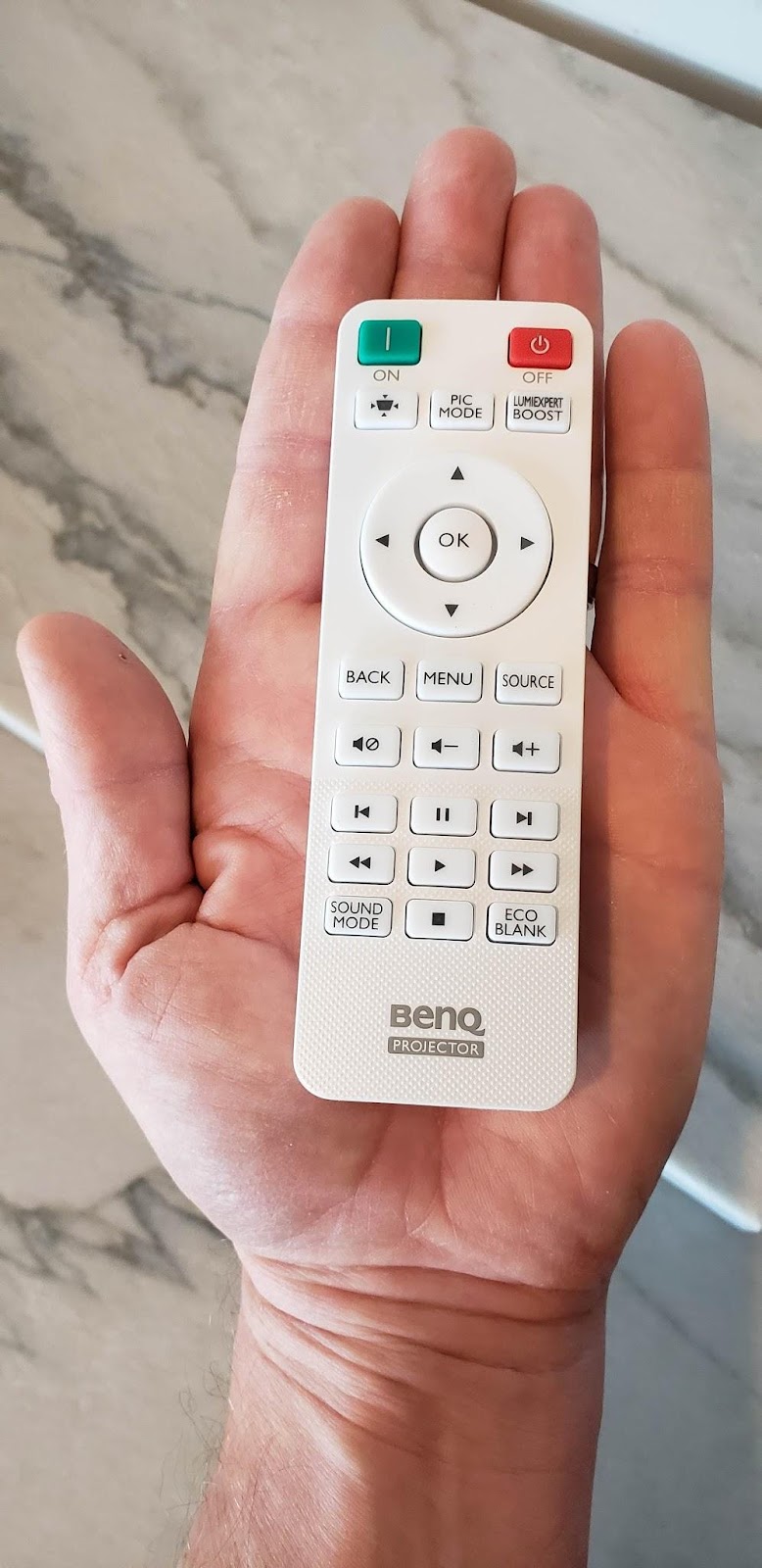
BenQ TH671ST - Pictures
* Note that if you see what appears to be a duplicate picture of an image on the impact screen, it is actually 2 separate pictures, one with very minimal ambient light and the other picture is with a single recess light on above the hitting mat.






In conclusion, I think both projectors produced an image that allowed me to enjoy playing simulated golf let alone doubling my golf sim as a home theater/television. However, if the price for the IN138HDST & the TH671ST were exactly the same I would have chosen the TH671ST due to the priceless digital zoom feature and the TH671ST’s ability to produce a crisper clearer focused image. The gravy on top is the fact that the TH671ST is $130 cheaper (retail) at the time this review was written. That said, fortunately for me I had the extra room in my sim set up to mount the TH671ST nearly 2 feet further back in order to produce the image size that I wanted. If I did not have the extra space and I still wanted the 209” diagonal image size I would have had to make some tough choices pertaining to size versus image quality. I am happy to say I was able to have the best of both worlds!
While I was testing the IN138HDST the BenQ TH671ST arrived and after using the IN138HDST for about 3 weeks of testing and sim play it was time to test drive the TH671ST. Due to the higher throw ratio of the TH671ST I was forced to remount the TH671ST at a greater distance from my impact screen than the IN138HDST. The IN138HDST was 9’ 7” (115”) from the impact screen and the TH671ST was mounted at 11’ 6” (138”). Trust me when I tell you I was NOT looking forward to mounting another projector to the ceiling after the trials and tribulations I went through to get the IN138HDST mounted correctly. However, in order to properly evaluate the TH671ST that is exactly what I needed to do. It was at this point that I realized a BEAUTIFUL feature that the BenQ has that the InFocus does not have and that is the 1.2x optical zoom feature. For those of you who have optical zoom in your projector you know what a wonder feature this is to have to get your image exactly where you want it and at the exact size you want it. The TH671ST allowed me to mount the projector close to the ideal spot and then make the fine image size adjustments by simply rotating the zoom lens in and out to get the image to adjust perfectly to the impact screens dimensions. That’s not to say you can just throw the TH671ST anywhere you want and all will be well. You still need to use ProjectorCentral.com’s image throw calculator to get as close to the perfect spot as possible. On that note incidentally, BenQ has a very handy throw calculator tool on their website as well that I found to be very helpful to use. You can find that calculator here: https://projectorcalculator.benq.com/
With the 2 website calculators, my super adjustable ceiling mount and the 1.2x optical zoom feature, mounting the TH671ST was MUCH easier at least for a DIY’er like myself. This brings me to the next aspect of the TH671ST that made it a slam dunk for me. As mentioned earlier my complaint about the InFocus IN138HDST projector was that the image had a “fuzziness” to it that never looked to be fully in sharp focus. This was something that I was paying very close attention to when testing the BenQ and I am very happy to report that I was able to focus the BenQ very well. Is it as sharp as my 75” Samsung QLED upstairs…. Nope! That is an unrealistic expectation. Can I see detail in the computer generated images running Foresight FSX 2018… ABSOLUTELY! The fuzziness was gone and I realized that I could have my cake and eat it too! Is there better out there. Of course there is. This is a $685 projector. If you want to spend more I am sure you can get your image closer to my Samsung upstairs but keeping things realistic… I am VERY happy with the image that the TH671ST produces and it is only going to get better as I get closer to the completion of my sim room since I plan on installing better lighting, adding blackout to the sides of the screen and adjusting the screen tension to reduce some of the “waviness” in the screen which can distort the projected image.
A couple other notes about the TH671ST I wanted to mention. I have a brand new set up with equipment that meets or exceeds current standards including a new computer running an NVIDIA GeForce GTX 1070 graphics card with ample RAM. I have very little delay from the time I hit the ball to the time I see the ball project on to my impact screen. Although I have no way of actually objectively testing what I think my eye sees… but I do believe that I noticed an improvement with the slight delay that I do get when using the TH671ST vs. the IN138HDST. I asked BenQ about this and make no mistake about it… the TH671ST was designed and built as a gaming projector and one of the things that this projector was designed for was to minimize what is called “input lag”. Basically, that is the time it takes the projector to receive the image data from whatever the source is and then process that data to produce an image. Of course, there are MANY links in this chain but I felt that I could see a slight yet noticeable difference with the image production time using the TH671ST.
To see a video of the image production speed (Input Lag Test) on my system click below:
https://youtu.be/_TBWy0sQkcU
I will also mention that the TH671ST has a smaller footprint than the IN138HDST. This was not a factor for me but just mentioning it since I know that some sim setups are very tight on space and every inch can matter. The dimensions of the 2 units are below for your reference:
InFocus IN138HDST: 4.9” x 9.3” x 12.3”
BenQ TH671ST: 4.7” x 8.8” x 11.6”
BenQ TH671ST - Pictures
* Note that if you see what appears to be a duplicate picture of an image on the impact screen, it is actually 2 separate pictures, one with very minimal ambient light and the other picture is with a single recess light on above the hitting mat.
In conclusion, I think both projectors produced an image that allowed me to enjoy playing simulated golf let alone doubling my golf sim as a home theater/television. However, if the price for the IN138HDST & the TH671ST were exactly the same I would have chosen the TH671ST due to the priceless digital zoom feature and the TH671ST’s ability to produce a crisper clearer focused image. The gravy on top is the fact that the TH671ST is $130 cheaper (retail) at the time this review was written. That said, fortunately for me I had the extra room in my sim set up to mount the TH671ST nearly 2 feet further back in order to produce the image size that I wanted. If I did not have the extra space and I still wanted the 209” diagonal image size I would have had to make some tough choices pertaining to size versus image quality. I am happy to say I was able to have the best of both worlds!

Comment