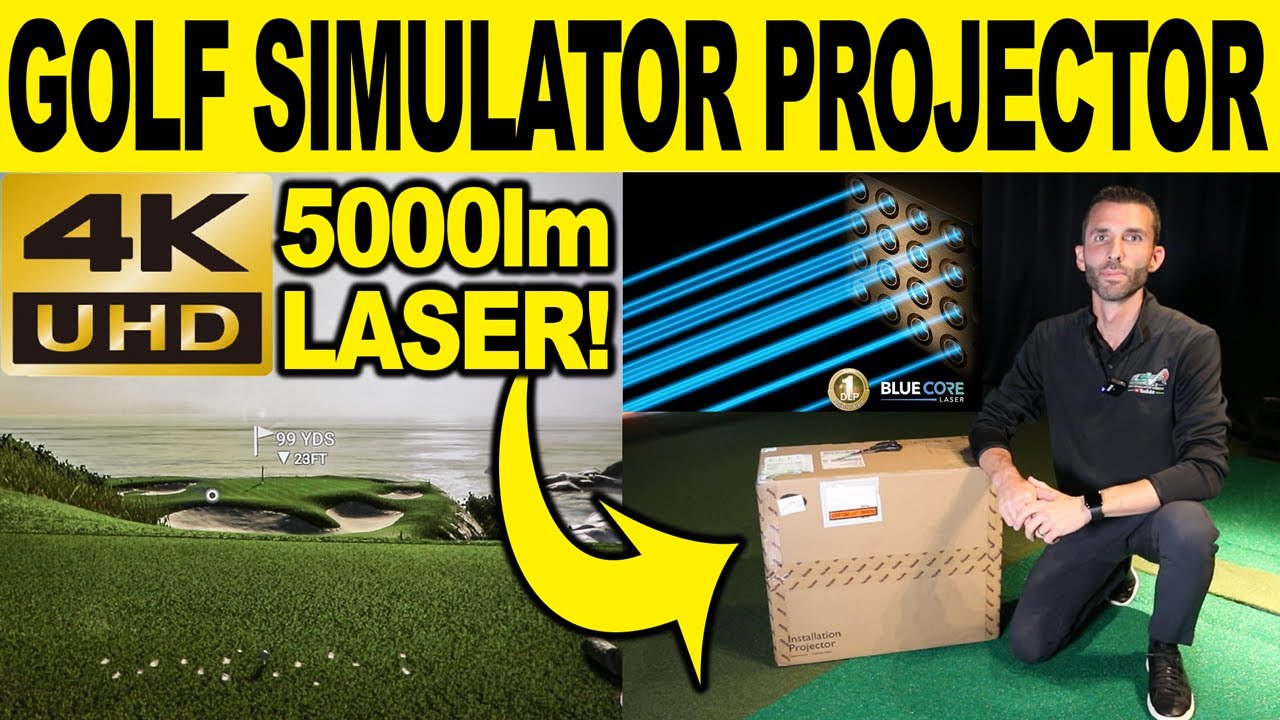
It is very important to understand what the best golf simulator projector is for your space and environment. You need to consider things like throw distance, aspect ratio, lumens, mounting position, and more. I take you through many of those aspect today, but feel free reach out if you have questions and are looking to buy a projector for your golf simulator. Email: a98cr125@gmail.com
-
Jay, did you get sent this for review and you have to return it or are you keeping it? The projector review on this said that this is one of the very few Projectors that actually beats its rated Lumen ratings (I think they said like 6K lumens!) which is insane... I feel like for a really nice space like yours this projector is the cherry on top! Its a little hard to swallow the price though for budget applications.-
This is mine. I had been looking at 4K and laser for a while and now one of my affiliate partners is a dealer so figured time to add it. It really is a great projector. I spent more on my Sony 1080p 5000 lamp since the damn lens was so much. This one all in retails for $5499. It is not so much the brightness I noticed as much as the crisp picture. I figured you would not notice the resolution difference that much since it is projection but I was wrong. It’s definitely on the higher end of units out there but I think when people are investing as much as some do in their simulator this is just a small piece of the budget you know. Thanks for watching!
-
-
a98cr125
that's way over my budget for a hairline improvement in projection! Maybe if I was building out a movie studio to use for projecting film projects, but not for projecting already pixelated golf course graphics - 4K too seems over the top... maybe I'll be wrong in 5, or 10 years, but the price of that unit will be 10x lower by then and probably more like the $550/range!This one all in retails for $5499
And you know why, because now that 4K is starting to be 'everywhere', the next step is 8K, it's never ending.Comment
-
Electronics have been that way forever for sure. These this technology was like almost $10k when it came out. Finally coming down. It’s really nice but not for everyone you are absolutely right. Thanks for watching!Comment
-
Can you record some gameplay in 4k and upload to YouTube in 4k? It's a little tough for us to see the quality while watching in 1080p. I recently bought a new projector for the new sim room..... I just couldn't pull the trigger on 4k at this time. Perhaps in a few years when they come down in price. Congrats on the new projector....looks great....even watching in 1080p.Comment
-
Ok, I’ll see if I can something soon. 👍Comment
-
Thanks for the video! Could you provide the response rate for whatever is the fastest picture mode? (I’ve been searching online and haven’t had any luck)
Being able to get 60 FPS in 4K is great, I’m just hoping for a sub 40ms response rate for games.Comment
-
-
Thx Jay for the video. I'm choosing the components for my new glof simulator. My screen will have 16x 9 with a ceiling at 10'2". I will go with eye XO (you convince me with another video you did).
With a throw ratio of .8 to .88, I have to put the BenQ 953ST between 12.8 feet and 14 feet. My hitting area is suppose to be at 12 feet. If I want to accomodate rigt and left hander, is it the good projector. Could you help me?Comment
-
Absolutely would be glad to help. Shoot me an email at: a98cr125@gmail.com we can get you all calculated and save money on the purchase. Cheers, Jay
-
-
Jay, Your 4k projector looks great. I watched your latest video in 4k......very impressive. When I eventually upgrade my projector....it will be to a 4k laser for sure. BTW....putting looks to be very accurate on the Eye XO. People who have not had a sim experience with great putting are missing out....Comment
-
Hi Jay,
the swing optix guide says that the LK 953ST is not compatible with the swing optix cameras...did you know that?Comment
-
It has to do with the strobing effect of high speed frame capture timing up with the refresh rate of the projector. It’s more of a comfort feature when reviewing swing recordings. It’s not a situation where the cameras won’t work with the projector. It’s just annoying when reviewing swing captures. You can set a custom resolution and change the frequency (Hz) of the projector to help a little.
-
-
I can understand that I would review my swing on my 4k tv?Comment
-
I think you are missing the reason why they list it as incompatible. The swing optix cameras will be recording your down the line swing and the projector image will be in the background. No matter what you view the recording with ie phone/tv/projector/monitor it will have the strobing effect because the recording of your swing captured it with the projector on. The only way currently to eliminate the strobing effect would be to make a swing with the projector off. Again this is only a notification of the unfortunate side effect of the strobing. It does not stop the cameras from working or the projector from working. If you have an Nvidia GPU you do have the option to change the refresh rate with a custom resolution at 4K just not 120hz. It is possible to change the refresh rate and desync the timing.
-
-
What graphics card and computer setup are you using in this video? Reason I ask is I have the same projector but don’t even get an option to run at 60hz in 4k, best I get is 30hz.
thanksComment
-
Can this project 4:3? I am wanting to improve my image from my existing Optoma GT1080HDR 1080P.
what’s the best value for higher lumens and image quality?Comment
-
Yes and this but it’s been updated to a LK936ST. This is pretty much the best projector you can buy. Make sure your pc is capable of pushing a 4k image and enjoy. Oh also make sure you use a custom resolution. Link below explains using a 4:3 aspect ratio in 4k.
Comment


Comment