Golf Simulator Forum is the center point for discussion on golf simulator products, brands, manufacturers, launch monitors and everything else related to golf simulation.
If this is your first visit, be sure to
check out the FAQ by clicking the
link above. You may have to register
before you can post: click the register link above to proceed. To start viewing messages,
select the forum that you want to visit from the selection below.
I've purchased a 2nd hand GC2 but haven't received it yet... Is this calibration software something that I will likely need? Should it already be provided with the unit I bought i.e. discs?
GC2's are calibrated. You don't need the software unless something is wrong which is extremely rare. However, the software won't hurt it. What it does is tell the GC2 what absolute flat is so when the GC2 is on a hill it'll self level. My pool table is perfectly flat. I put the GC2 on the pool table and ran calibration so the GC2 was set to flat. It wasn't necessary but I like to tinker. Never use it on a GC2t not that many people have one.
PM me if you want the software.
My Courses:
World Par 3's by mthunt
Toronto GC (L) mthunt
Burlington G&CC by mthunt
Weston G&CC by mthunt
London Hunt Club L mthunt
Park CC Lidar mthunt
Sunningdale GC Robinson L
Sunningdale GC Thompson L
Muirfield Village (liDAR) First Ever Lidar course
Country Club of Castle Pines (liDAR)
The Sanctuary GC ProTee L
The National GC L mthunt
Mississaugua GC L mthunt
Shaughnessy G&CC L mthunt
Markland Woods CC mthunt
Hidden Lake Old L mthunt
Magna GC L mthunt
Barrie CC L mthunt
mthunt Range
I know this is an old post, but would you still happen to have this software? I have a GC2 that doesn't seem to be working exactly correctly. It keeps reading short iron shots (PW, AW, SW) as left hooks (or heavy draw) when the ball path is straight. I can't hit a draw to save my life with those clubs. I do hit a draw with my 8 iron and the GC2 seems to read that correctly. It just looks like a normal slight draw as it should. Not sure if the software will help, but figured it was worth a shot.
Before I was hitting into a net, but now I'm going to be hitting into a screen. The ball will most likely be hitting the middle right part of the screen. How do I get the ball to start up the middle right side of the screen? Can I do that with TGC and FSX or are you only able to change that on FSX?
Before I was hitting into a net, but now I'm going to be hitting into a screen. The ball will most likely be hitting the middle right part of the screen. How do I get the ball to start up the middle right side of the screen? Can I do that with TGC and FSX or are you only able to change that on FSX?
Thanks in advance!
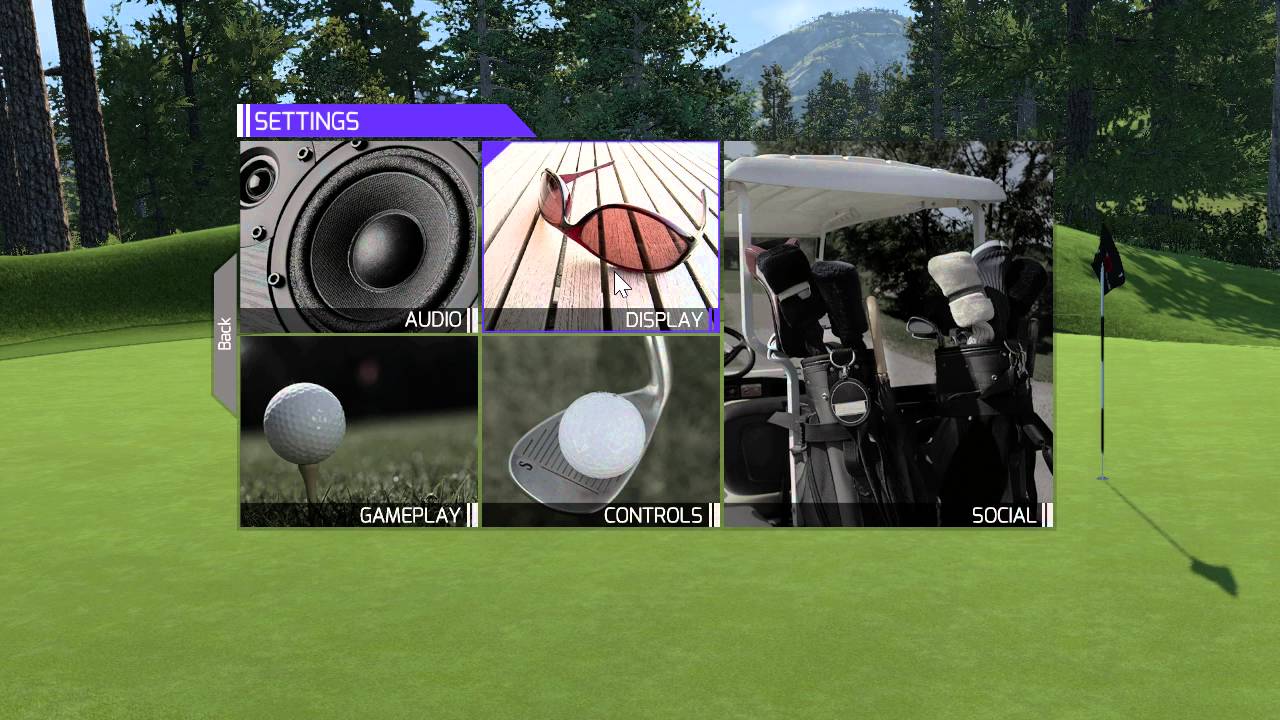
Vertical or horizontal? Vertical is settings, display, offset. Horizontal...only fsx
My Courses:
World Par 3's by mthunt
Toronto GC (L) mthunt
Burlington G&CC by mthunt
Weston G&CC by mthunt
London Hunt Club L mthunt
Park CC Lidar mthunt
Sunningdale GC Robinson L
Sunningdale GC Thompson L
Muirfield Village (liDAR) First Ever Lidar course
Country Club of Castle Pines (liDAR)
The Sanctuary GC ProTee L
The National GC L mthunt
Mississaugua GC L mthunt
Shaughnessy G&CC L mthunt
Markland Woods CC mthunt
Hidden Lake Old L mthunt
Magna GC L mthunt
Barrie CC L mthunt
mthunt Range
Vertical or horizontal? Vertical is settings, display, offset. Horizontal...only fsx
So you're saying when I put it up on an impact screen with my projector, I have to set myself up to hit out of the middle? That kind of sucks considering I hit into the middle right side of the screen...
Has anyone else had this problem? I could see people who don't play as often aiming left causing massive pulls. Kinda defeats the purpose if I can't actually aim at the flag...
Ok it's been a few years but can anyone help me out as a new GC2 owner. I need the software so I can recalibrate on level ground to make sure everything's fine. Getting high launch on all clubs so just want to make sure
I just downloaded from MHunts link but how do I open and run from Dropbox??
Last edited by northshoremb; 12-30-2024, 09:53 PM.



Comment