 Tweet
Tweet
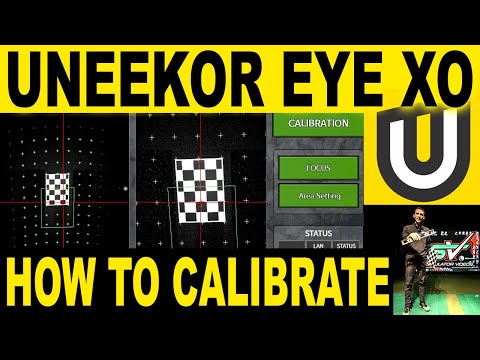
I had someone this past livestream ask if I could do a video on how to calibrate the EYE XO. I thought it was a good idea and knocked one out this morning. Also I go over some troubleshooting and setup tips I find useful.
-
Thanks for the update Jay. I might have to recalibrate, I'm getting unusually high launch angles with my irons. I recently performed a calibration and didn't use a level. Wondering if this might have had an impact?-
Its possible! Having it level and square is important! Thanks for watching! -
Well, that might have fixed it! I was using a 7-iron for reference. My usual launch angle is 15.5-16.0 degrees. It crept up to 18+ after Austin updated my system to beta test the stickers. After a recalibration with a level (and it was off by half a bubble on the level), it's back to my normal launch angles. Success!
-
-
Loved the video and all your videos!
My mat is not perfectly level. From your video it seems like you only have to level the calibration board and not the mat. Am I thinking about this the correct way?
Thanks,
JasonComment
-
That was an awesome video Jay! My instructions did not say to use the side camera for aligning the grid, so it turns out that I have never really achieved a great calibration (looking back on it now). Another thing that jumped out at me when I finally understood the correct calibration procedure is that you can use it to precisely position the Uneekor unit on your ceiling. Just place the grid exactly where you want to hit the ball and then shift the Uneekor until the crosshairs from the side camera are at that spot. I know this is probably not necessary, but why not get it right?
Thanks again,
MikeComment
-
Hi guys. I’m new to the Eye xo. I just installed yesterday and calibrated. However when I open View I get no lights and it does not pick up a golf ball. Any thoughts?? It’s gotta be something simple as everything is connected. Frustrated. I just want to golf!Comment
-
Do you see an active data connection in the networking section of your computer ? (The dedicated network you have to set up with the manually assigned IP address?). That’s the only initial thought that comes to mind... though if calibration worked, that may not be it.
another one I see cited a lot is disabling anti virus to make sure it’s not conflicting. Both are a bit of a guess , hopefully others have ideas as well.Comment


Comment