 Tweet
Tweet
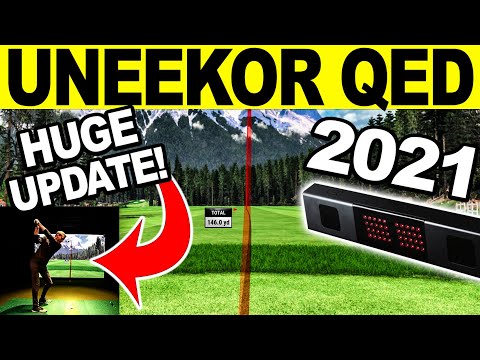
Watch our UNEEKOR QED Review showing the All-NEW IGNITE Golf Simulator Software Update for 2021! This fantastic enhancement has been one of the most requested from UNEEKOR QED Golf Simulator Users and we are excited to be able to share it with you first here on the Golf Simulator Videos Channel. Looking to Buy UNEEKOR QED or EYE XO? Be sure to email me for the best information & pricing at: a98cr125@gmail.com . This is an early release version shown, you may see some additional updates on side & top views in the latest version based on feedback I provided to UNEEKOR.
-
Looks like an awesome enhancement. Thanks for sharing ! -
Awesome cant wait to try the update!!Comment
-
I haven't seen an update pushout yet today - is there something manual I need to do to get this update?My Published Course:
Green Harbor (L) - MA, Marshfield, MA
Stow Acres North (L) - MA, Stow MAComment
-
Super easy to update. Here is the guide (You might need to copy and past it into a browser) : https://uneekor.us8.list-manage.com/...2&e=12ef8c0d21
Thanks for watching.Last edited by a98cr125; 07-02-2021, 12:09 PM.
-
-
FANTASTIC!! Been waiting for this for a while. Great vid!
ps. Email sent re. hitting stripComment
-
I have mine updated and it seems to work well. I like it a lot. However, don't forget to go into your configuration.exe (located in the QED_IGNITE folder) and select the correct settings. For example, I always run in the Window mode rather than full screen, and this setting was switched by the update for the Swing Optix version, but not the regular version of Ignite. Took me a while to figure that out.Comment
-
I have been asking for a full screen version of the range since I got this thing. Uneekor continues to impress by providing what their customers want in the updates! I can’t wait to download it and use it!Comment
-
The update was successfully pushed out yesterday. If anyone did need the guide here it is..... (You might need to copy and past this into a browser)
https://uneekor.us8.list-manage.com/track/click?u=bc4dc58f2d5680a9e74c5709f&id=469ae91242&e= 12ef8c0d21Last edited by a98cr125; 07-02-2021, 12:08 PM.Comment
-
Quick question because I’m busy hitting balls, not reading the manual….
I can’t get the physics results along the bottom of the new full screen in the order I want them.
The tiles I choose are correct, but not the order.
Any input? (Besides “read the manual”) 😝Comment
-
Also…no feedback box, so I’ll post here
The Club tab chart has no column labels, at least for me. Tried restarting software multiple times, same result. Just the rows of data.Comment
-
Sorry to hijack, but Jay, maybe you can pass on a few other quirks? When you go to "list" to see the order of your shots, often times I'll delete a few mishits to not skew my average. I don't see the delete button anymore. Also I'm occasionally getting weird ball tracers that look like fireworks or the sketching of a half sunburst (hard to explain)....just a weird anomaly every 15 shots or so.
-
Welcome, we are an early QED adopter. Love the system and Uneekor's support. TGC 2019 never updates.....
Make sure you subscribe to Jay's videos and search the many other QED videos, it will help you get started.Comment
-
I've had great luck using the new driving range by itself. It also seems to work fine if you use TGC2019. However, after I shut down TGC2019 the new Ignite does not seem to work. I get the chime, but no shot is registered. I tried everything I could think of and finally restarted the computer. Restarting seemed to make Ignite work again until I started TGC2019. What am I missing? Or is this a bug? I don't remember ever having this issue before?Comment
-
Looks like they fixed the labels in the club list chart. 👍🏼Comment
-
This is a fantastic update. Makes me regret my refine purchase to be honest. Im also very relieved to see they continue to support and build out the QED.
All we need now is a premium ball. Hitting the stock crap balls vs a prov with stickers yields substantially different results. I bought this system in the spring and they said they were working on a ball but have not heard anything since. Anyone else caught wind of something?Comment
-
I have great luck with milled spots in the 2021 Pro V1. I know there is a concern with screen wear and milled balls, but I tend to regard that as a myth. So far I have no negative feedback on the 2021 Pro V1 (from actual users). -
I agree with the premium ball comment. With Unicorn balls going away, there really isnt much of any options unless you want to do stickers which are a pain IMO. If Uneekor can figure out how to get a premium ball option, QED will finally be complete in my view. There are still a few bugs here and there but overall its a very well put together system.
-


Comment