You'll enjoy the skytrak but you'll really enjoy it with a screen. Have fun.
-
My Courses:
World Par 3's by mthunt
Toronto GC (L) mthunt
Burlington G&CC by mthunt
Weston G&CC by mthunt
London Hunt Club L mthunt
Park CC Lidar mthunt
Sunningdale GC Robinson L
Sunningdale GC Thompson L
Muirfield Village (liDAR) First Ever Lidar course
Country Club of Castle Pines (liDAR)
The Sanctuary GC ProTee L
The National GC L mthunt
Mississaugua GC L mthunt
Shaughnessy G&CC L mthunt
Markland Woods CC mthunt
Hidden Lake Old L mthunt
Magna GC L mthunt
Barrie CC L mthunt
mthunt Range -
Papa, listen to mthunt. Get a impact screen and projector. You will really enjoy the Skytrak. Be patient as sim option are coming.Comment
-
Ignoring arguments or preference for a certain type of software (a big if) but I'm very happy with my setup. $4450 CAD for this including projector, home made cage with skillz divot mat. I had an iPad and apple c to make it work already. Not even close I think with GC2 and course software when you add in the fit out cost.Comment
-
What are you guys projecting with the Skytrak? Linking your iPad to the projector for the range/games?Comment
-
I use an apple adapter to connect it to my projector. They have it with either hdmi or vga.Comment
-
I use AirPlay with an Apple TVComment
-
HDMI + Apple adaptor to projector. Love it on the 10'x15' impact screenOriginally posted by PapaMatt View PostComment
-
Wbond, do you have a pic of your screen setup you could share? Mine would need to be a moveable screen too and most of the Impact Screen 101 thread here seems to be about more permanent setups.Originally posted by wbond View PostComment
-
I have a two car garage and I hit side to side. My garage is around 20' wide or so. In the pic, the garage doors would be to the right. The screen in the pic was a cheap harbor freight tarp that has since been replaced with a PR20 screen. You can see two steel cables across the top, one holds the screen and the other holds a net behind the screen. I already had the net, so just decided to keep using it. There is also another steel cable that holds the side net. All nets and screens can be slid completely up against the walls so cars can be parked in the garage when needed.
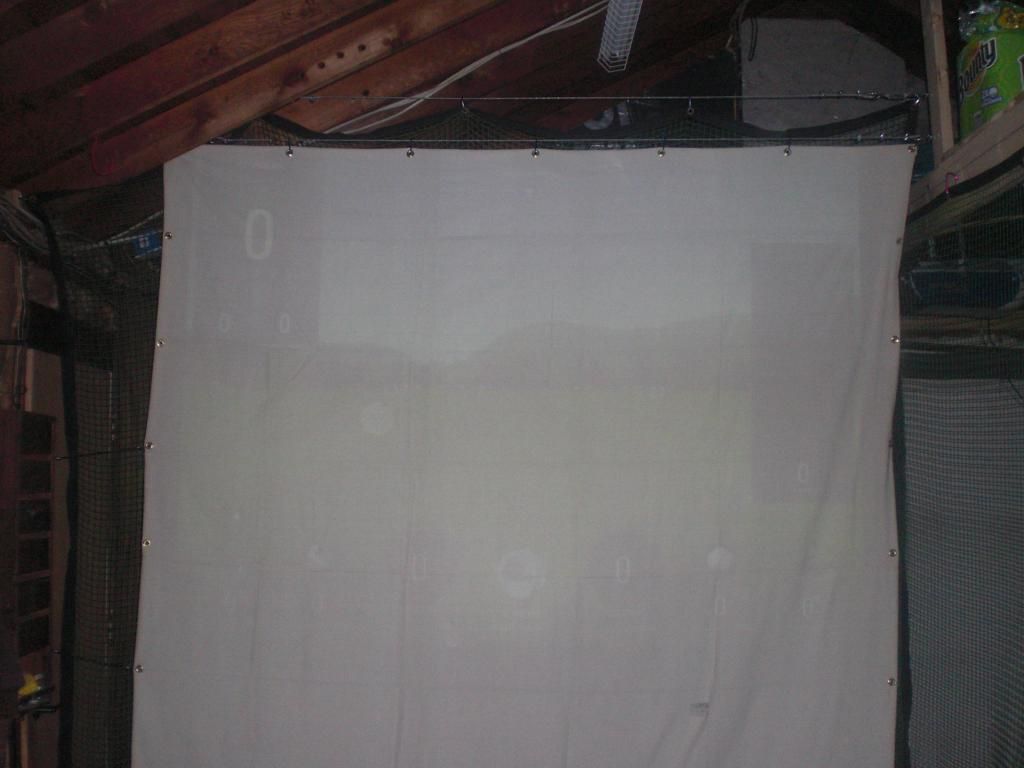
Originally posted by PapaMatt View PostComment


Comment