Announcement

Collapse
No announcement yet.

Practice setup

Collapse
X
 
  • Filter
  • Time
  • Show
Clear All
new posts

  • Practice setup

    Hey all - I know you answer a ton of these questions so I appreciate any thoughts and comments you can spare for me.

    I am wanting to setup a practice area with mat, LM and net in my garage. Although I live 1 minute from a driving range, literally, by the time the kids are in bed, it is closed and so practice time is few and far between for me. Although I never thought of doing simulation before, I have been reading on this site and others for the last week and am really intrigued by it. While it would not be the reason I create this setup, I think it would be fun and undoubtedly my five year old daughter, who hits birdie balls around the house now, would enjoy it too.

    Anyway, I do not have any room in the house that will work. It's the garage or an out door setup only. I wouldn't have any way to do a protee like set up with lights etc and want something that will give me good feedback about the shot shape, carry ,etc. I am less concerned about what the club face is doing as I have learned through practice that I mentally respond better to making the ball do X than the club do Y. Also, as this will be in the garage and need to be moved frequently, a projector/screen setup is out so this old be only on an iPad or laptop for now, but I would plan to expand to a full setup if/when we move in a couple of years.

    Thus, I think a LM like the GC2 or Skytrak is probably what I am looking for as both are portable and could tell me all I want to know with just a mat and a net and very little space. I guess I am trying to decide between these lesser money for Skytrak and the hope of e6 cloud versus the GC2/Protee/TGC Mecca you all race about. :-D Given the cost difference and my space constraints, my gut reaction is that unless I can find a deal on eBay or elsewhere for a GC2, I should go the Skytrak route until I can more fully I utilize the Gc2. But, then a little voice says that I know I would love the TGC setup.

    Not really a direct question there, but more or less throwing out my thought process and looking for your feedback. Number one reason for this is for easy practice time but the allure of being able to play the wonderful courses on e6 or TGC is very strong.

  • #16
    You'll enjoy the skytrak but you'll really enjoy it with a screen. Have fun.
    My Courses:
    World Par 3's by mthunt
    Toronto GC (L) mthunt
    Burlington G&CC by mthunt
    Weston G&CC by mthunt
    London Hunt Club L mthunt
    Park CC Lidar mthunt
    Sunningdale GC Robinson L
    Sunningdale GC Thompson L
    Muirfield Village (liDAR) First Ever Lidar course
    Country Club of Castle Pines (liDAR)
    The Sanctuary GC ProTee L
    The National GC L mthunt
    Mississaugua GC L mthunt
    Shaughnessy G&CC L mthunt
    Markland Woods CC mthunt
    Hidden Lake Old L mthunt
    Magna GC L mthunt
    Barrie CC L mthunt
    mthunt Range

    Comment


    • #17
      Papa, listen to mthunt. Get a impact screen and projector. You will really enjoy the Skytrak. Be patient as sim option are coming.

      Comment


      • #18
        Ignoring arguments or preference for a certain type of software (a big if) but I'm very happy with my setup. $4450 CAD for this including projector, home made cage with skillz divot mat. I had an iPad and apple c to make it work already. Not even close I think with GC2 and course software when you add in the fit out cost.

        Comment


        • #19
          What are you guys projecting with the Skytrak? Linking your iPad to the projector for the range/games?

          Comment


          • #20
            I use an apple adapter to connect it to my projector. They have it with either hdmi or vga.

            Comment


            • #21
              I use AirPlay with an Apple TV

              Comment


              • #22
                Originally posted by PapaMatt View Post
                What are you guys projecting with the Skytrak? Linking your iPad to the projector for the range/games?
                HDMI + Apple adaptor to projector. Love it on the 10'x15' impact screen

                Comment


                • #23
                  Originally posted by wbond View Post
                  I use an apple adapter to connect it to my projector. They have it with either hdmi or vga.
                  Wbond, do you have a pic of your screen setup you could share? Mine would need to be a moveable screen too and most of the Impact Screen 101 thread here seems to be about more permanent setups.

                  Comment


                  • #24
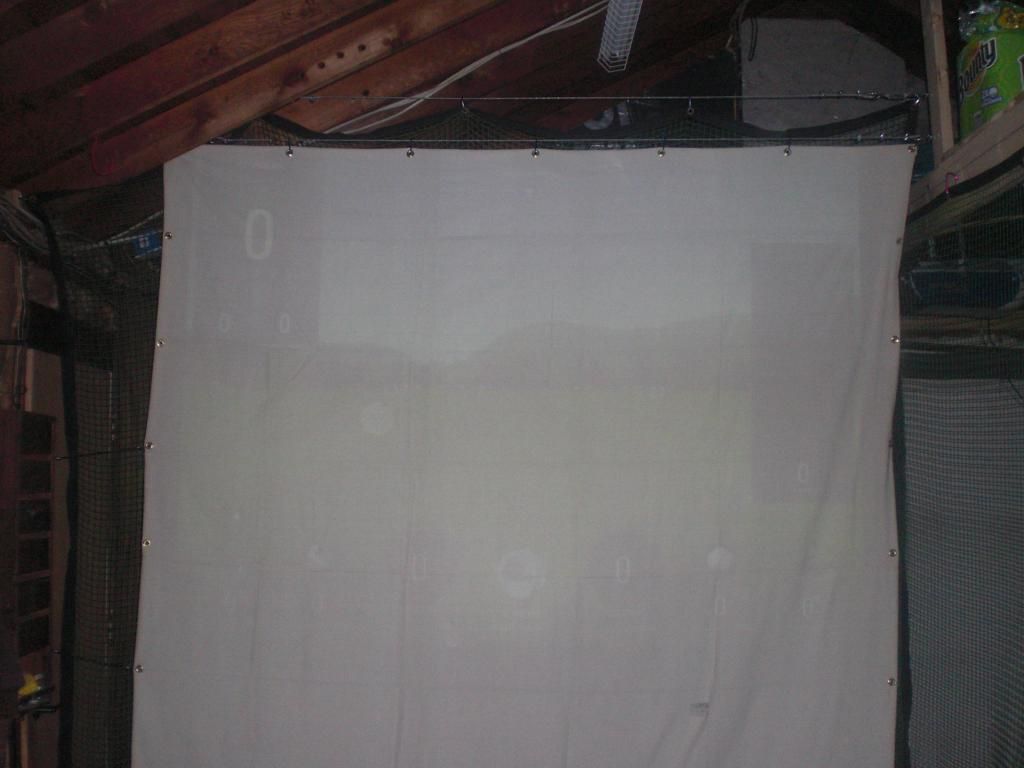
                    I have a two car garage and I hit side to side. My garage is around 20' wide or so. In the pic, the garage doors would be to the right. The screen in the pic was a cheap harbor freight tarp that has since been replaced with a PR20 screen. You can see two steel cables across the top, one holds the screen and the other holds a net behind the screen. I already had the net, so just decided to keep using it. There is also another steel cable that holds the side net. All nets and screens can be slid completely up against the walls so cars can be parked in the garage when needed.
                    Originally posted by PapaMatt View Post


                    Wbond, do you have a pic of your screen setup you could share? Mine would need to be a moveable screen too and most of the Impact Screen 101 thread here seems to be about more permanent setups.

                    Comment

                    Working...
                    X