Announcement

Collapse
No announcement yet.

New Garage Build

Collapse
X
 
  • Filter
  • Time
  • Show
Clear All
new posts

  • New Garage Build

    Hello All,

    Here recently, I've been getting back into golf after a 2.5 year hiatus. I guess you could say that I've got the golf bug, AGAIN! The only golf simulator i knew of, up to about 2 months ago, was a Trackman and knew that it was waaaay out of my price range. So i started researching and eventually stumbled upon this website. Man is there a lot of information! It has kicked my butt into high gear to get one of these simulators in my garage. After sitting back and reading post after post....after post, I've decided its a lot more affordable than i had initially thought. So I'm looking for some insight....

    Fortunately, my garage is 24'w X 35'd X 10'6"h and we do not use it...we park our cars upfront and really only use the garage for a spare refrigerator, so the space is wide open.

    Here's what I've ordered so far...

    - 10'x17' impact screen - (Carls Preferred)
    - BenQ Short throw 1080p projector
    - Dell Gaming Desktop with the following specs: (solely for golf simulator)
    1TB 7200RPM SATA Hard Drive + 256GB M.2 SATA Solid State Drive / 8th Gen Intel® Core i7-8700 Processor 3.2GHz / 16GB DDR4 2400MHz RAM / 8GB NVIDIA® GeForce® GTX 1070 Graphics
    - 48"x60" XL Golf mat

    Here are my questions...(any advice is greatly appreciated!)

    1.) Do i need to have another "monitor" for the pc? Every picture I've seen, has a computer monitor off to the side as well as the projector screen. Doesn't it show the same thing?
    2.) How important is the "direct spot" lighting? I have read a couple of posts about the possibility of lighting causing problems to the cameras/sensors in the launch monitors...
    3.) My biggest dilemma....Skytrak or GC2?? I'm not sure if I've read too much, or not enough...but i feel like I've read all the "recent" (2018) posts....truth be known, i'm leaning slightly towards the Skytrak, based off the financial savings.
    - From what i understand, the GC2 is superior because it has no delay, but is $3,000 more expensive...please correct me if i'm wrong?! I have been going back and forth between the two for a while now and cannot make up my mind, AAHHHH!! I really don't see how a 2 sec delay is worth $3,000?
    - I do have a couple of buddies that are left handed...is this going to be a problem with either/or?

    I'm sure as i get deeper into the process, i'll have more questions. I hope to get started this weekend in making this dream become a reality! Thanks in advance for any advice!

  • #2
    I had the same problem choosing between Skytrak and GC2. After all the research and comparing videos and the forum. I just purchased a very new used GC2 and waiting for its arrival. The Skytrak is a great system but that delay just got me. The only way the GC2 was even close to being affordable was going with buying a used unit.I dont like buying used things but based on all the feedback I received from other forum members on their used GC2 purchases I feel very confident about doing so. I think if you have left and right players playing the GC2 is better equipped to do that. My build is starting to come together after several months should be done in about two weeks and will be playing soon. I went with Par2Pro screen 16 by 10 and hanging that on the 16 foot sportscreen. My monitor is the Benq TH671ST gaming monitor which I hope works out well.

    Comment


    • Stingreye
      Stingreye commented
      Editing a comment
      Congratulations on your purchase!

    • sherrow70
      sherrow70 commented
      Editing a comment
      Thanks should be ready to go soon

    • gnomike
      gnomike commented
      Editing a comment
      Welcome to the "almost ready to go" club! I'm so close as well!

  • #3
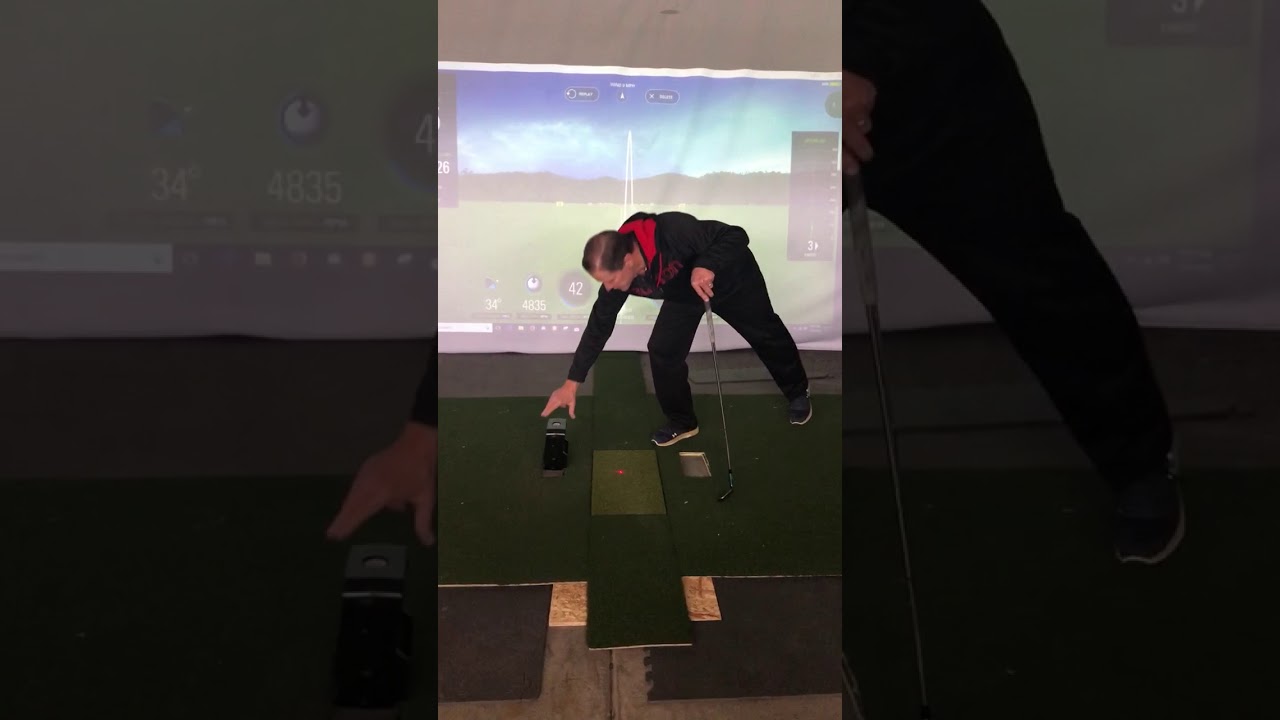
    For the left/right solution. I bought Skytrak and I have loved it. This is what I did and you would do the same by indexing the skytrak to a known repeatable position. For my Skytrak I decided to just move it and I locate the alignment very quickly by simply using a wood index. While not as fancy as the other video, it cost me $10 and I finished in less than an hour. /it is now glued down so the alignment is consistent and the skytrak works well. You can move it faster than the game is ready. I am awaiting my GC2 and will be selling my Skytrak
     

    Comment


    • jdoorny
      jdoorny commented
      Editing a comment
      Do you have to change modes in the software too?

  • #4
    With respect to a second monitor. You can have it either duplicate the projector or extend the screen space to allow you to have more data on it. Such as a browser.

    As long as you do not have a light shining into the Skytrak, you will be ok. You will want the room dim for the projector anyway.

    Finally the skytrak /gc2 question. Skytrak is an affordable option and one that I did so that I could make sure I liked the experience. The delay is not a bother to me. I am getting GC2 because I am a golf junkie and want to try it. Skytrak is very good, gc2 is also

    Comment


    • #5
      It sounds like you are well on your way! My 2 cents on your questions
      1) There is no need for a second monitor. I think it is just a personal preference of looking at a normal size screen while you are using the mouse and keyboard vs looking at a giant screen
      2) With Skytrak or GC2, you shouldn't need any form of direct spot lighting. The light from the projector screen will be enough to see to tee up the ball.
      3) GC2 does have a reduced delay, but it also has a larger area to place the ball (about the size of an index card versus maybe 1" x 2" for skytrak). This isn't a huge deal but it is nice for hitting outside off of grass where you will take a divot because you can move the ball slightly after each shot and not have to move the GC2. GC2 also has smaller tolerances for error of its measurements. It also works better for short game shots. You can read about the straight putting patch and short game mode for Skytrak, but basically it was initially designed as a launch monitor for full swing shots and needed some bandaids to make it less frustrating on pitches and putting during simulation. Skytrak also requires an annual subscription to play simulated courses, whereas GC2 does not. All that said, Skytrak is a great value and I can see where it is difficult to justify the extra money, but plenty of people do.

      The above solution for left/right handed play is what I would recommend as well. You can just put down a rail in the case of the GC2.

      Comment


      • #6
        1-Just personal preference or may also be due to room setup as well. My keyboard is opposite of the screen so I need to have a monitor there.
        2-Spot light is not important and doesn't affect the readings of either.
        3-I've had both, the delay is not that big of a deal. ST has much more to offer in terms of software with their game improvement package and they keep adding features on a more regular basis. GC2 is much better at HLA, has a bigger hitting area and is better at short game shots, especially when used with sim software. I do not see how a GC2 is easier to move for R/L play over a ST, i think it's the other way around. The GC2 sits farther away from the ball than the ST so you can't really swing over the top which is easily done on the ST if you have LH players.

        Comment


        • #7
          i have had both a Skytrak and GC2 and in my current setup due to space limitations i have to move the GC2 into left handed mode for Driver and Fairway shots, i've also played irons and wedges in this setup and i've never thought the GC2 encumbered my swing, whereas when i tried this setup with my Skytrak, because it sits closer to the ball i did feel like it was in danger of being hit by the shaft or club head.

          Comment


          • #8
            Originally posted by Boerdoc View Post
            For the left/right solution. I bought Skytrak and I have loved it. This is what I did and you would do the same by indexing the skytrak to a known repeatable position. For my Skytrak I decided to just move it and I locate the alignment very quickly by simply using a wood index. While not as fancy as the other video, it cost me $10 and I finished in less than an hour. /it is now glued down so the alignment is consistent and the skytrak works well. You can move it faster than the game is ready. I am awaiting my GC2 and will be selling my Skytrak
            JNPG automatically switches from right to left . Not sure about TGC

            Comment


            • ProTee United
              ProTee United commented
              Editing a comment
              TGC also switches from right to left.

          • #9
            Thanks for all the information and advice everyone! will post pics as i progress...

            I'll probably get my build pretty close to 100% and then make a game time decision between the Skytrak or GC2. There is a recent post about Skytrak having an upcoming sale, which might make me pull the trigger earlier?!

            Are there any cables that go from the Skytrak to the computer? Like an Ethernet port or power supply? I know it can be used wireless, but i think i would much rather have it hardwired for a better connection. Same goes for the GC2?

            Comment


            • #10
              I like having my skytrak with its own wifi channel. A small $15 wifi adapter works great. very stable and easier to move without the wires. I just plug it in to charge. Hardwiring is not necessarily more stable.

              GC2 runs on Bluetooth for sim use with TGC and JNPG. a separate usb connector works well. Not sure if it runs hardwired

              Comment

              Working...
              X