
Pretty straight forward. I am doing a new simulator build and have decided on the GCQuad for my launch monitor. I will be using the PC for the simulator only. I don't want to build my own (not in to it, prefer a warrante and ease). I am not buying a 4K projector, so I don't need anything beyond 1080HD. However, I don't want the PC to struggle or lag at all. I have been looking at some of the builds on Costco or the Alienware on HP. Any recommendations are greatly appreciated.
-
-
the number 1 question is what is your budget?
-
Whatever it needs to be. I’m not going to be projecting 4K, so I want the best machine for my needs. I don’t mind paying for it, but I don’t want to pay for anything I don’t need. The PC won’t do anything but run my simulator, so I only need enough storage etc for that. I want the best for my needs, but as little waste or overkill as possible.Originally posted by Jnc10 View PostComment
-
Well if your just running fsx 2020 then you don’t necessarily need an 2000 series nvidia card unless a prebuilt comes with one. Any of the options at Costco right now will work, they had an i5 Legion setup in store for 700.00 that would be fine as well.
but..
If you plan on running e6 or tgc2019, then you’d be better off paying extra and getting all the bells and whistles.
Costco has a hp omen with a gtx2060, 10th gen i7, 32 gb ram, 512 ssd and 1 gig hd
1349.00
Don’t know if that’s the best price out there for the specs, but costco has a great warranty...Last edited by fortysixandtwo; 11-14-2020, 04:00 AM.Comment
-
Where do you live? In Canada, there is a place called memory express that will sell ou a pre built machine with a warranty that will meet your needs, or for about $100 they will build you one with a warranty (just tell them your specs and they will do the rest within your budget). The guys are very knowledgeable and you will get something that you need and which will also last you a few years. My first computer with them for 2014 is still in use and all I needed to do was spend $600 (GPU and windows 10) this past April to keep it going.Comment
-
I plan on playing tgc2019 for sure, and maybe e6. Honestly, $1349 is not a problem at all if that machine does what I need. Like I said, I’ll spend whatever it takes, I just hate spending on “waste”.Originally posted by fortysixandtwo View Post
Comment
-
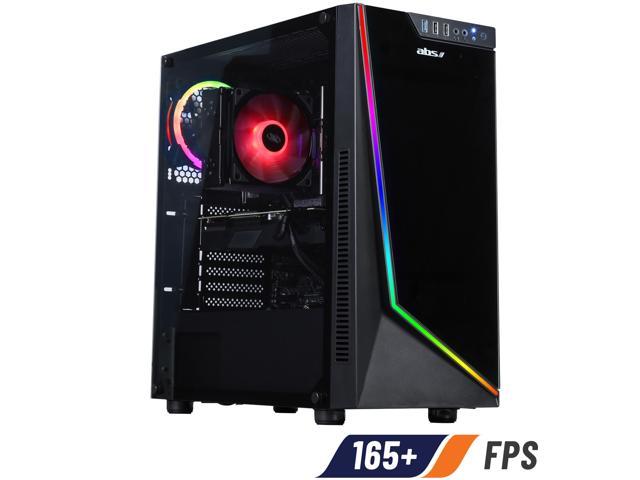
Something like this should be a great unit for years to come.Comment
-
I went with Lenovo - solid build - great price. Dell also has some great gaming PC builds. Regardless - focus on RAM (go 32GB+), CPU (Stick with Intel I7 or better, 9th gen min, ideally 10th Gen), and Graphics card (RTX2060 or better - ideally 2080 or better) and a decent SSD. To be sure this is a high end machine and arguably more than you need today but it will make any of the software sing right now and for at least the next few years. My goal was to not have to upgrade for 3-4years.
I went with: 9th Gen i9-9900K (3.60GHz, up to 5.0GHz with Turbo Boost, 16MB Cache), 32GB DDR4 2666MHz (2 x 16GB), NVIDIA® GeForce® RTX 2080 Super 8GB & 1TB 7200 RPM + 1TB SSD PCIe. Required - maybe not quite but it is an amazing machine. Showed up in 4 days and was plug & play.Comment


Comment